
Dell Inspiron 15 5000 Series Quick Start Guide
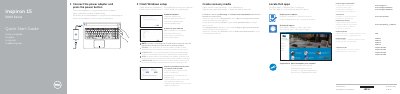
This Quick Start Guide covers the Dell Inspiron 15 5000 Series computers, including Inspiron 15-5551, Inspiron 15-5552, Inspiron 15-5555, and Inspiron 15-5558. It provides setup steps for power, Windows, Dell updates, network connection, and Microsoft account sign-in.
The guide also lists product support resources, regulatory information, recovery media creation, computer features, and shortcut keys. Text is provided in English, Danish, Finnish, Norwegian, and Swedish.
| USB 2.0 ports | 2 |
|---|---|
| Network port availability | Inspiron 15-5558 and Inspiron 15-5555 only |
| Left microphone availability | Inspiron 15-5558 and Inspiron 15-5555 only |
Connect the power adapter and press the power button.
Enter the wireless network password when prompted.
In Windows search, type Recovery, click Create a recovery media, and follow the on-screen instructions.