
Dell Inspiron 15 5000 Series Quick Start Guide
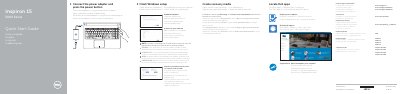
This document serves as a Quick Start Guide for the Dell Inspiron 15 5000 Series laptops. It provides instructions in multiple languages for connecting the power adapter, finishing Windows setup, and registering the computer. The guide also details how to enable Dell updates and connect to a network.
| Computer model | Inspiron 15-5551, Inspiron 15-5552, Inspiron 15-5555, Inspiron 15-5558 |
|---|---|
| Regulatory type | P51F001, P51F002, P51F003, P51F005 |
The shortcut keys include Mute audio, Decrease volume, Increase volume, Play previous track/chapter, Play/Pause, Play next track/chapter, Switch to external display, Search, Toggle keyboard backlight, Decrease brightness, Increase brightness, Toggle Fn-key lock, Turn off/on wireless, Sleep, and Toggle between power and battery-status light.
For more information, see Specifications at Dell.com/support.