
Dell Inspiron 15 5000 Series Quick Start Guide

Dell Inspiron 5000 Series Notebook Quick Start Guide.
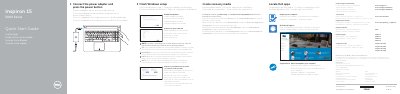

Dell Inspiron 15 5000 Series Quick Start Guide - cover page
Brand
DELL
Category
Laptops
Document type
Quick Start Guide
Language
English
Pages
2
File format
PDF
File size
371 KB
Published
19 November, 2023
Updated
19 November, 2023
MD5 checksum
A1D70BF98F469779F957C213359B4C82

About this manual

This document serves as a Quick Start Guide for the Dell Inspiron 15 5000 Series notebooks. It provides initial setup instructions in multiple languages, covering steps such as connecting the power adapter, finishing Windows setup, enabling Dell updates, and connecting to a network. The guide also includes information on registering the computer and contacting Dell support.

What's inside

  • Connect the power adapter
  • Finish Windows setup
  • Enable Dell updates
  • Connect to your network
  • Sign in to your Microsoft account
  • Product support and manuals
  • Features
  • Shortcut keys

Frequently asked questions

What is the input voltage range for the power adapter?

The power adapter accepts 100 V AC to 240 V AC.

What is the output voltage of the power adapter?

The power adapter provides 19.50 V DC output.

Which computer models are covered by this guide?

The guide covers Inspiron 15-5551, 15-5552, 15-5555, and 15-5558 models.

How do you create recovery media?

In Windows search, type Recovery, click Create a recovery media, and follow the on-screen instructions.

Download PDF (371 KB)

More DELL Manuals


View all DELL manuals →