
Key facts
- Brand
- DELL
- Model
- W-IAP109
- Category
- Communications equipment
- Documents
- 2
- Languages
- ZH · ES
- Last added
- 2026-09-30
Start here
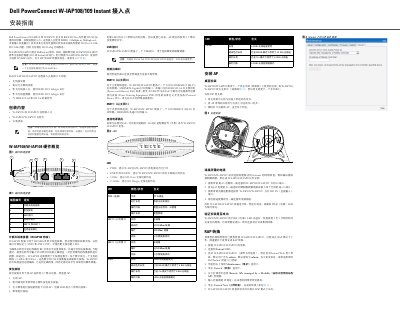
Dell W-IAP108/W-IAP109 Instant Access Point Installation Guide
The guide provides a step‑by‑step installation process for the Dell PowerConnect W‑IAP108 and W‑IAP109 Instant access points. It includes hardware descriptions, antenna connections, reset procedures, power options, and LED status indicators.
Additional sections cover desktop mounting, cable connections, verification of successful startup, and instructions for converting the device to Remote AP (RAP) mode. Electrical specifications, compliance information, and safety warnings are also included. This manual is written in Chinese.
Dell W-IAP109 specifications
| Ethernet ports | 1 × 10/100/1000Base‑T auto‑sensing RJ‑45, 1 × 10/100Base‑T auto‑sensing RJ‑45 |
|---|---|
| PoE support | IEEE 802.3af and 802.3at (56 V DC, 350 mA) |
| Power input | 12 VDC external adapter; also supports PoE |
| Maximum power consumption | 12.5 W (no USB), 15 W (with USB) |
| Dimensions | 160 mm × 160 mm × 41 mm |
| Operating temperature | 0 °C to +40 °C |
| Storage temperature | -40 °C to +70 °C |
Source: Dell W-IAP108/W-IAP109 Instant Access Point Installation Guide
All Dell W-IAP109 documents by type
Mounting, wiring and first power-up. Read it before the hardware goes in.
Questions answered in these manuals
How do I reset the access point to factory defaults?
Power off the AP, press and hold the reset button with a pin, power it on while holding the button, release after the power LED flashes, and wait for the LED to flash again indicating reset completion.
From: Dell W-IAP108/W-IAP109 Instant Access Point Installation Guide
What LEDs indicate the status of the device?
PWR shows power status, ENET0/ENET1 indicate Ethernet link speed, 2.4 GHz and 5 GHz LEDs show wireless radio status, and the 56 Hz LED shows the 802.11a/b/g/n radio status.
From: Dell W-IAP108/W-IAP109 Instant Access Point Installation Guide
What are the default login credentials for Instant WebUI?
The default username is admin and the default password is admin.
From: Dell PowerConnect W-IAP108/W-IAP109 Wireless Access Point Installation Guide
How is the access point reset to factory defaults?
Press the reset button with a small narrow pointed object while powering on, then release it when the power LED flashes before 15 seconds.
From: Dell PowerConnect W-IAP108/W-IAP109 Wireless Access Point Installation Guide