
Key facts
Start here
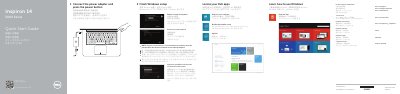
Dell Inspiron 14-5443 Laptop Quick Start Guide
This quick start guide helps set up a Dell Inspiron 14-5443 laptop, including finishing Windows setup, locating Dell apps, connecting to a network, and enabling security and updates.
It also identifies the laptop's external features and shortcut keys, and provides product support, registration, backup and recovery, and regulatory information.
All Dell Inspiron 14-5443 documents by type
The shortest path to a working setup, usually only a few pages.
Disassembly, diagnostics and part numbers, for repair.
Questions answered in these manuals
Where can I find more specifications for the Inspiron 14-5443?
See Specifications at dell.com/support.
What should I do when connecting to a secured wireless network?
Enter the password for the wireless network access when prompted.
What tools are recommended before servicing the computer?
A Phillips screwdriver and a plastic scribe.
From: Dell Inspiron 14 5000 Series (Inspiron 14-5443) Computer Service Manual
What should I do before disassembling internal components?
Save and close all open files, exit applications, shut down, disconnect power and cables, remove media, and discharge residual power.
From: Dell Inspiron 14 5000 Series (Inspiron 14-5443) Computer Service Manual