
Inspiron 15 5000 Series Quick Start Guide
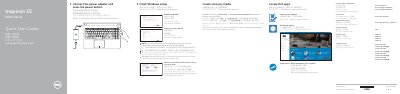
This Quick Start Guide for the Dell Inspiron 15 5000 Series gives steps to connect the power adapter and press the power button, finish Windows setup, enable Dell updates, connect to the network, and sign in to a Microsoft account or create a local account.
The guide also lists features and shortcut keys. It notes that a wireless network password may be needed and refers to Dell.com/support for more information and specifications.
Connect the power adapter and press the power button.
Enter the password for the wireless network access when prompted.
The guide lists 21 features, including the right microphone, camera-status light, camera, and left microphone.