
Key facts
Start here
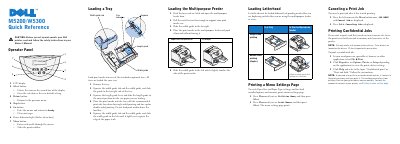
Dell M5200/W5300 Printer Quick Reference Guide
The Dell M5200/W5300 Quick Reference Guide provides essential instructions for operating the printer, including a detailed breakdown of the operator panel buttons and their functions.
It includes step-by-step procedures for loading print media into standard trays and the multipurpose feeder, as well as instructions for printing menu settings, canceling jobs, and managing confidential print jobs.
All Dell W5300 documents by type
The shortest path to a working setup, usually only a few pages.
Day-to-day operation, settings and troubleshooting. Start here if the product is already set up.
Questions answered in these manuals
How do I cancel a print job on the Dell M5200/W5300?
Press the left arrow on the Menu button once to display JOB MENU and Cancel Job, then press Select.
What should I do if the printer displays 'Change Tray x'?
Remove the current print media from the specified tray and load the requested size or type, or press Select to print on the currently loaded media.
How do I cancel a print job after it has started printing?
Press the left arrow of the Menu button once, then select Cancelar trabajo.
How do I print a menu settings page?
Press Menu until the Utilities menu appears and select it, then press Menu until Imprimir menús appears and select it.
What is the Dell Workgroup W5300 used for?
It is a laser printer for network and local printing.
Where can users request toner cartridges?
Users can request them online at www.dell.com/supplies or by phone.