
Inspiron 15 5000 Series Quick Start Guide
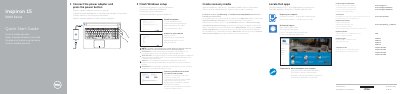
This guide helps users connect the power adapter, finish Windows setup, enable Dell updates, connect to a network, sign in, locate Dell apps, and create recovery media. It also lists product support resources and regulatory information.
The features section identifies the laptop's ports, controls, microphones, camera, battery, optical drive, and other components, and includes shortcut-key functions for audio, brightness, wireless, and display control.
| Computer model | Inspiron 15-5551, Inspiron 15-5552, Inspiron 15-5555, Inspiron 15-5558 |
|---|---|
| USB 2.0 ports | 2 |
| Left microphone | Inspiron 15-5558 and Inspiron 15-5555 only |
| Network port | Inspiron 15-5558 and Inspiron 15-5555 only |
| Regulatory type | P51F001, P51F002, P51F003, P51F005 |
In Windows search, type Recovery, click Create a recovery media, and follow the instructions on the screen.
Enter the password for the wireless network access when prompted.
Product support and manuals are available at Dell.com/support.
The guide covers Inspiron 15-5551, Inspiron 15-5552, Inspiron 15-5555, and Inspiron 15-5558.