
This document describes how to set up Windows 10.
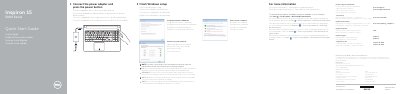
This guide explains how to finish Windows setup on Dell Inspiron 15 5000 Series computers, including connecting the power adapter, setting a Windows password, connecting to a network, and protecting the computer.
It also identifies the computer's ports and controls, lists keyboard shortcut keys, and provides regulatory, model, and electrical information for the Inspiron 15-5558 and Inspiron 15-5551.
| Regulatory model | P51F |
|---|---|
| Regulatory type | P51F001, P51F003 |
| Computer model | Inspiron 15-5558, Inspiron 15-5551 |
| Input voltage | 100 V AC–240 V AC |
| Frequency | 50 Hz–60 Hz |
| Input current | 1.30 A/1.60 A/1.70 A |
| Output voltage | 19.50 V DC |
| Output current | 2.31 A/3.34 A |
| Country of origin | China |
| USB 3.0 port | 1 |
| USB 2.0 ports | 2 |
| Network port | Inspiron 15-5558 only |
Connect the power adapter and press the power button.
Click Start → All Programs → Dell Help Documentation.
Inspiron 15-5558 and Inspiron 15-5551.