
Key facts
Start here
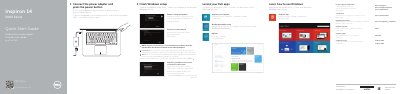
Dell Inspiron 5442 Laptop Quick Start Guide
This Dell Inspiron 5442 quick start guide covers finishing Windows setup, registering the computer, Dell Backup and Recovery, product support and manuals, and regulatory and safety information. It also includes help and tips for enabling security and updates and connecting to a network.
The guide identifies laptop features and shortcut keys, including ports, camera, microphone, media-card reader, power button, and function-key shortcuts for audio, brightness, wireless, and display. It notes that more specifications are available at dell.com/support.
Dell Inspiron 5442 specifications
| USB 2.0 ports | 1 |
|---|---|
| USB 3.0 ports | 2 |
| HDMI port | 1 |
| Network port | 1 |
| Headset port | 1 |
| Media-card reader | 1 |
All Dell Inspiron 5442 documents by type
The shortest path to a working setup, usually only a few pages.
Disassembly, diagnostics and part numbers, for repair.
Questions answered in these manuals
What should I do when connecting to a secured wireless network?
Enter the password for the wireless network access when prompted.
Where can I find more information about specifications?
See Specifications at dell.com/support.
What should I do before working inside the computer?
Save and close all open files, exit all open applications, shut down the computer, disconnect power and cables, remove media, and discharge the motherboard.
From: Dell Inspiron 14 5000 Series (Inspiron 5442) Computer Owner's Manual
What tools are recommended for the procedures?
A Phillips screwdriver and a plastic scribe.
From: Dell Inspiron 14 5000 Series (Inspiron 5442) Computer Owner's Manual