
Dell laptop quick start guide
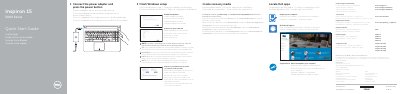
This multilingual quick start guide helps users set up their Dell Inspiron 15 5000 Series laptop. It walks through connecting the power adapter, completing Windows setup, enabling Dell updates, connecting to a network, and signing in with a Microsoft account.
The document also provides an overview of the laptop's physical features and ports, lists shortcut keys for common functions, and directs users to Dell support resources for product manuals, regulatory information, recovery media creation, and contacting Dell.
| Input voltage | 100 V AC – 240 V AC |
|---|---|
| Input frequency | 50 Hz – 60 Hz |
| Input current | 1.50 A / 1.60 A / 1.70 A |
| Output voltage | 19.50 V DC |
| Output current | 2.31 A / 3.34 A |
| Regulatory model | P51F |
| Regulatory type | P51F001, P51F002, P51F003, P51F005 |
Connect the power adapter to the laptop and press the power button.
The keyboard includes shortcut keys for mute, volume down, volume up, play/pause, previous track, and next track.
In Windows search, type Recovery, click Create a recovery media, and follow the on-screen instructions.