
Dell Inspiron 15 5000 Series Quick Start Guide

Inspiron 15 5000 Series Quick Start Guide.
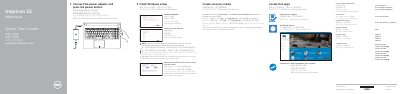

Dell Inspiron 15 5000 Series Quick Start Guide - cover page
Brand
DELL
Category
Laptops
Document type
Quick Start Guide
Language
English
Pages
2
File format
PDF
File size
494 KB
Published
20 November, 2023
Updated
20 November, 2023
MD5 checksum
794871BAEA1A5A0AE4192DC680347EA2

About this manual

This Quick Start Guide covers the initial setup process for the Dell Inspiron 15 5000 Series. It instructs users on how to connect the power adapter, complete the Windows setup, enable Dell updates, and register the computer. The guide also explains how to create recovery media and contact Dell support.

What's inside

  • Connect the power adapter
  • Finish Windows setup
  • Enable Dell updates
  • Connect to your network
  • Sign in to your Microsoft account
  • Product support and manuals
  • Locate Dell apps
  • Create recovery media
  • Features
  • Shortcut keys

Frequently asked questions

How do I create recovery media for this computer?

In Windows search, type Recovery, click Create a recovery media, and follow the instructions on the screen.

Where can I find more specifications for this laptop?

For more information, see Specifications at Dell.com/support.

Download PDF (494 KB)

More DELL Manuals


View all DELL manuals →