
Key facts
- Brand
- Brother
- Model
- MFC-9840CDW
- Category
- All-in-one printer
- Industry
- Computers
- Documents
- 3
- Languages
- ZH
- Last added
- 2012-04-01
Start here
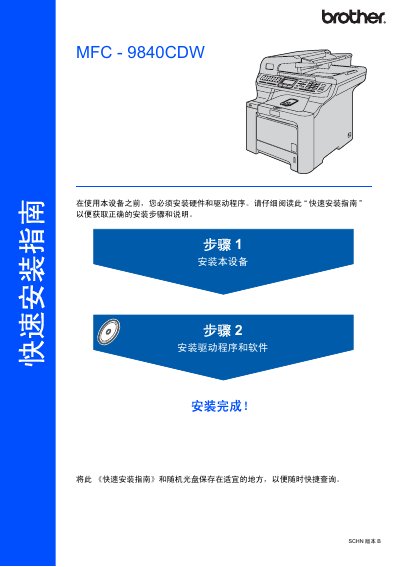
brother Printer DCP-9040CW quick installation Service Manual
This guide provides step‑by‑step instructions for installing the Brother MFC‑9840CDW printer, including unpacking, loading toner cartridges, inserting paper, and configuring the device's date, time, and network settings. It also explains how to install the necessary drivers and software for Windows, macOS, and network environments.
Safety warnings, cable specifications, and recommended handling procedures are included to ensure proper operation and avoid damage or personal injury. The guide lists all components found in the box and details how to connect USB or Ethernet cables correctly. This manual is written in Chinese.
Brother MFC-9840CDW specifications
| Weight | 38 kg (83.6 lb) |
|---|---|
| Maximum USB cable length | 2 m |
| Network cable type | Category 5 (or higher) straight‑through |
Source: brother Printer DCP-9040CW quick installation Service Manual
All Brother MFC-9840CDW documents by type
Day-to-day operation, settings and troubleshooting. Start here if the product is already set up.
The shortest path to a working setup, usually only a few pages.
Questions answered in these manuals
How do I set an administrator password?
Use the security lock settings to set the administrator password.
How can I send a fax using the automatic document feeder?
Select the fax mode and choose the option to send a single‑sided fax from the automatic document feeder.
How many people are required to lift the printer safely?
At least two people should lift the device together.
From: brother Printer DCP-9040CW quick installation Service Manual
What type of Ethernet cable should be used with the printer?
Use a straight‑through Category 5 (or higher) twisted‑pair cable.
From: brother Printer DCP-9040CW quick installation Service Manual
How do I install the driver configuration wizard software?
Use the driver configuration wizard software provided on the supplied CD or download it from the Brother Solutions Center.
How can I reset the network settings to factory defaults?
Select the option to restore network settings to factory defaults in the printer’s menu.