
Key facts
- Brand
- ATEN
- Model
- CS-1762
- Category
- Other Computer Accessories
- Documents
- 2
- Languages
- JA · ZH
- Last added
- 2023-10-17
Start here
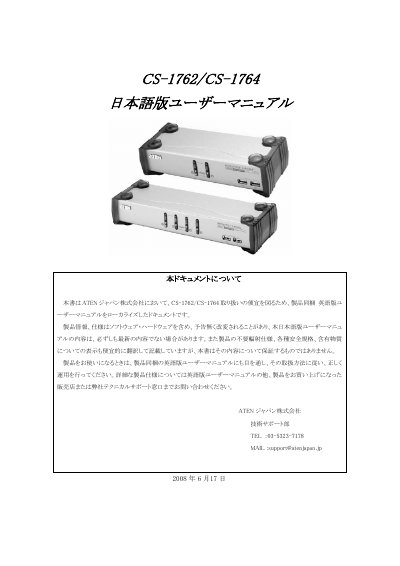
ATEN CS-1762/CS-1764 User Manual
This document is a localized Japanese version of the English user manual for the ATEN CS-1762 and CS-1764 KVM switches. It provides instructions on hardware setup, including cable connections and port assignments. The guide details manual and hot-key operations for accessing multiple computers, as well as procedures for firmware upgrades. This manual is written in Japanese.
Read onlineATEN CS-1762 specifications
| USB Hub Ports | 2 ports (USB 2.0) |
|---|---|
| KVM Ports | 2 ports (CS1762A) / 4 ports (CS1764A) |
| Audio Support | 2.1 stereo surround |
| Power Consumption | DC 5.3 V, 9.0 W (10.7 W max) |
| Weight | 0.73 kg (CS1762A) / 0.94 kg (CS1764A) |
| Dimensions (L×W×H) | 21.00×8.70×5.50 cm (CS1762A) / 27.00×8.70×5.50 cm (CS1764A) |
| Video Interface Compatibility | DVI‑Digital and DVI‑Analog (full DVI spec) |
| Cross‑Platform Compatibility | Windows, Linux, Mac, Sun |
| Keyboard Language Support | English, Japanese, French |
| Video Sync Technology | ATEN Video Dynasync™ |
All ATEN CS-1762 documents by type
Day-to-day operation, settings and troubleshooting. Start here if the product is already set up.
Questions answered in these manuals
What is the purpose of this product?
It is designed for operating, managing, and controlling general-purpose computers and interfaces.
What is the warranty period for this product?
The warranty is 3 years for standard products and 2 years for LCD-display products, with free repair during these periods.
How many computers can the CS1762A and CS1764A control?
The CS1762A can control 2 computers, while the CS1764A can control 4 computers.
What audio capabilities does the KVM switch provide?
It supports 2.1 stereo surround sound with low‑frequency response.