
Key facts
- Brand
- ATEN
- Model
- AF-241
- Category
- Other Computer Accessories
- Documents
- 2
- Languages
- ZH · EN
- Last added
- 2023-11-10
Start here
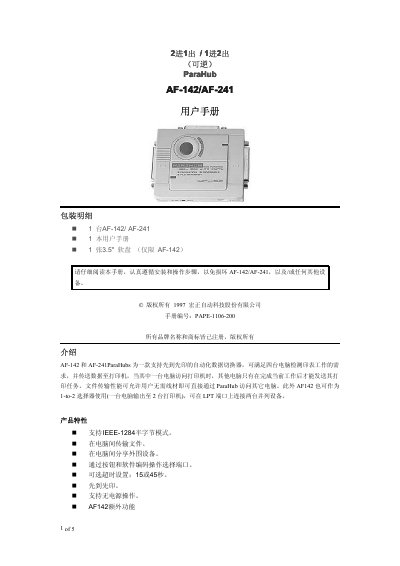
ATEN AF-142 / AF-241 ParaHub Printer Sharing Switch User Manual
The AF-142 and AF-241 ParaHubs are automatic data switches from ATEN that let several computers share printing on parallel ports. The introduction describes first-come, first-served printing, so when one computer sends a print job to the printer the others wait until that job is finished. Files can also be moved between computers through the ParaHub without extra cabling, and IEEE-1284 nibble mode is supported. Ports are chosen with a button or by software, with an optional 15 or 45 second timeout, and the unit can work without a power adapter.
The AF-142 adds reversible 1-to-2 operation and a broadcast mode, while the AF-241 works in 2-to-1 mode only. The manual covers the package contents, slide-switch and cable installation for 2-to-1 and 1-to-2 modes, automatic and manual operation, file transfer mode, product specifications, the supplied software, a list of tested compatible devices, troubleshooting, FCC class A notice and the limited warranty. Settings are made with a slide switch on the side of the unit; if the ParaHub cannot draw enough power from the connected devices, a power adapter is required. This manual is written in Chinese.
ATEN AF-241 specifications
| Power consumption | DC 9V 100mA (maximum) |
|---|---|
| Cable length | 6 m (20 ft) maximum |
| Input connectors (female) | AF-142: 1 DB-25; AF-241: 2 DB-25 |
| Output connectors (female) | AF-142: 2 DB-25; AF-241: 1 DB-25 |
| Weight | 150 g |
| Dimensions (L x W x H) | 102 x 85 x 26 mm |
| Parallel mode | IEEE-1284 nibble mode |
Source: ATEN AF-142 / AF-241 ParaHub Printer Sharing Switch User Manual
All ATEN AF-241 documents by type
Day-to-day operation, settings and troubleshooting. Start here if the product is already set up.
Questions answered in these manuals
What is the difference between the AF-142 and the AF-241?
Both work in 2-to-1 mode, but only the AF-142 supports 1-to-2 operation, where one computer can output to two parallel devices including a broadcast mode.
From: ATEN AF-142 / AF-241 ParaHub Printer Sharing Switch User Manual
What timeout settings can I choose?
The slide switch on the side of the ParaHub can be set to a 15 or 45 second timeout.
From: ATEN AF-142 / AF-241 ParaHub Printer Sharing Switch User Manual