
Key facts
- Brand
- ATEN
- Model
- CL5716
- Documents
- 4
- Languages
- ZH · EN
- Last added
- 2023-10-20
Start here
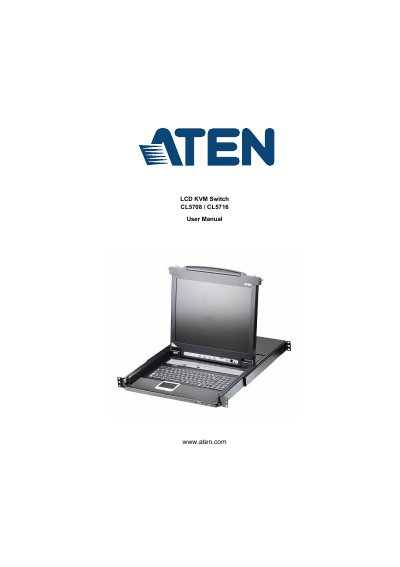
ATEN CL5708/CL5716 LCD KVM Switch User Manual
This manual provides step-by-step instructions for installing and operating the ATEN CL5708/CL5716 LCD KVM switch. It covers hardware setup, basic operation, on-screen display (OSD) controls, keyboard port functions, and firmware upgrades. The guide also includes troubleshooting tips and technical specifications for the device.
The KVM switch allows users to control multiple computers with a single keyboard, mouse, and monitor. It supports hot plugging, port selection via buttons or OSD, and includes features like auto scan mode and keyboard emulation for compatibility with Mac and Sun systems.
ATEN CL5716 specifications
| Computer Connections | Direct 8 (CL5708) / 16 (CL5716) |
|---|---|
| Video Resolution | 1280 x 1024 @ 75 Hz |
| Power Input | 100–240 VAC, 50/60 Hz |
| Power Consumption (17") | 120V, 15.2W / 230V, 16W |
| Power Consumption (19") | 120V, 24W / 230V, 25W |
Source: ATEN CL5708/CL5716 8/16-Port VGA Single Rail LCD KVM Switch User Manual
All ATEN CL5716 documents by type
Day-to-day operation, settings and troubleshooting. Start here if the product is already set up.
Questions answered in these manuals
What is the product model?
The product model is CL5708/CL5716.
What is the product used for?
It is an LCD KVMP multi-computer switcher.
What is the maximum VGA cable distance?
The maximum VGA cable distance should not exceed 20m.
From: ATEN CL5708/CL5716 8/16-Port VGA Single Rail LCD KVM Switch User Manual
How do I invoke Hotkey mode?
Press the dedicated Hotkey key on the keyboard module once to invoke the feature.
From: ATEN CL5708/CL5716 8/16-Port VGA Single Rail LCD KVM Switch User Manual
What is the maximum number of computers I can connect?
Up to 256 computers can be connected via daisy chaining.
What is the voltage rating for the CL5708/CL5716?
The voltage rating is 100–240 VAC.