
Key facts
- Brand
- ATEN
- Model
- KE6900
- Category
- Other Computer Accessories
- Documents
- 3
- Languages
- EN
- Last added
- 2023-11-06
Start here
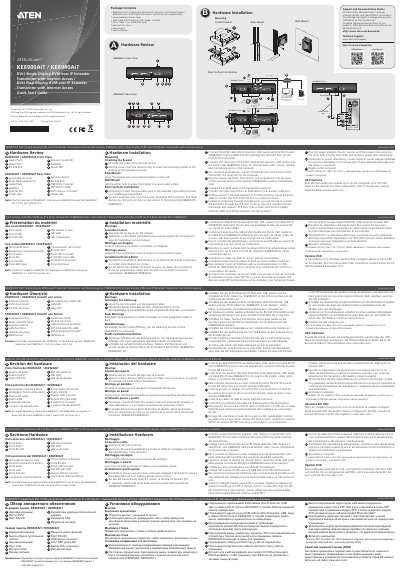
ATEN KE6900AiT / KE6940AiT DVI-I Single Display KVM over IP Extender Transmitter Quick Start Guide
This guide provides step-by-step instructions for installing and configuring the KE6900AiT and KE6940AiT KVM-over-IP transmitters. It covers hardware setup, including mounting, cable connections, and power supply. The KE6900AiT supports single display, while the KE6940AiT supports dual display. Configuration is managed via the receiver’s OSD menu.
Read onlineATEN KE6900 specifications
| Video Resolution (KE6900T / KE6940T) | Up to 1920 x 1200 |
|---|---|
| Power Consumption | DC 5V |
| Operating Temperature | 0–50ºC |
| Storage Temperature | -20–60ºC |
| Humidity | 0–95% RH, Non-condensing |
| Housing | Metal |
| Weight (KE6900T / KE6940T) | 1.13 kg / 1.15 kg |
| Dimensions (L x W x H) | 21.50 x 16.30 x 4.60 cm |
| LAN Port | 1 x RJ-45 Female (Black) |
Source: ATEN KE6900 / KE6940 DVI KVM Over IP Extender User Manual
All ATEN KE6900 documents by type
Day-to-day operation, settings and troubleshooting. Start here if the product is already set up.
The shortest path to a working setup, usually only a few pages.
Questions answered in these manuals
What is included in the basic KE6900 / KE6940 package?
The basic package includes a transmitter, a receiver, two power adapters, a USB KVM cable, mounting kits, and user instructions. A 2 m DVI-D cable is included with the KE6940 only.
From: ATEN KE6900 / KE6940 DVI KVM Over IP Extender User Manual
What video resolution does the KE6900 / KE6940 support?
The specifications list video support up to 1920 x 1200.
From: ATEN KE6900 / KE6940 DVI KVM Over IP Extender User Manual
How do I connect the KVM cables?
Connect the KVM cable (DVI-D dual-link, USB, audio) and DVI-D cable (for KE6940AiT) to the transmitter’s front KVM ports, then to the computer’s keyboard, video, mouse, microphone, and speaker ports.
From: ATEN KE6900AiT / KE6940AiT DVI-I Single Display KVM over IP Extender Transmitter Quick Start Guide
What cables are included in the Hardware Installation Package?
The package includes a KVM cable (DVI-D dual-link, USB, Audio; 1.8m/6ft), a DVI-D cable (1.8 m for KE6940AiT only), and a Mounting Kit.
From: ATEN KE6900AiT / KE6940AiT DVI-I Single Display KVM over IP Extender Transmitter Quick Start Guide
What is included in the basic package?
The basic package includes the KE6900T/KE6940T Transmitter, KE6900R/KE6940R Receiver, two Power Adapters, a USB KVM Cable, a 2m DVI-D Cable (KE6940 only), Mounting Kits, and User Instructions.
From: ATEN KE6900 / KE6940 Lite DVI KVM Over IP Extender User Manual
How do I register my product?
You must register your product at the manufacturer's online support center.
From: ATEN KE6900 / KE6940 Lite DVI KVM Over IP Extender User Manual