
Key facts
- Brand
- ATEN
- Model
- KH1516A
- Category
- Other Computer Accessories
- Documents
- 6
- Languages
- EN
- Last added
- 2026-11-09
Start here
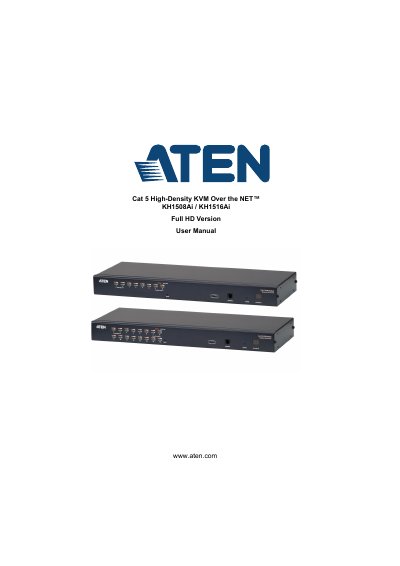
ATEN KH1508Ai / KH1516Ai Full HD Version User Manual
This document provides detailed instructions for installing, configuring, and operating the ATEN KH1508Ai and KH1516Ai KVM switches. It covers hardware setup, port management, user interface navigation, security settings, firmware upgrades, and troubleshooting. The manual also includes specifications, supported operating systems, and compatibility details for connecting multiple computers via daisy chain configurations.
The switches support up to 16 ports (KH1516Ai) or 8 ports (KH1508Ai), with full HD video resolution and remote desktop access via web browser, Windows client, or Java client applications.
ATEN KH1516A specifications
| Direct computer connections | 8 (KH1508A), 16 (KH1516A) |
|---|---|
| Maximum computers via daisy chain | 256 (KH1508A), 512 (KH1516A) |
| Port selection | OSD, hotkeys, pushbuttons |
| Video resolution | 1600 x 1200 @ 60 Hz (40 m); 1280 x 1024 @ 75 Hz (50 m) |
| Power input | 100-240 V AC, 50/60 Hz, 1 A |
| Power consumption | 120V/5.8W; 230V/6W (KH1508A), 120V/5.9W; 230V/6.1W (KH1516A) |
| Operating temperature | 0-40 C |
| Storage temperature | -20 to 60 C |
| Humidity | 0-80% RH, non-condensing |
| Weight | 2.74 kg (KH1508A), 2.77 kg (KH1516A) |
| Dimensions (L x W x H) | 43.30 x 16.00 x 4.40 cm |
| Keyboard emulation | PS/2, USB |
| Mouse emulation | PS/2, USB |
| Scan interval | 1-255 seconds |
Source: ATEN KH1508A/KH1516A 8/16-Port Cat 5 High-Density KVM Switch Product Leaflet
All ATEN KH1516A documents by type
Day-to-day operation, settings and troubleshooting. Start here if the product is already set up.
- ATEN KH1508 Ai / KH1516 Ai Cat 5 High-Density KVM Over the NET Switch User Manual 201 p
- ATEN KH1508A / KH1516A Cat 5 High-Density KVM Switch User Manual 88 p
- ATEN KH1508Ai/KH1516Ai Cat 5 High-Density KVM Over the NET User Manual 204 p
- ATEN KH1508Ai / KH1516Ai Full HD Version User Manual 222 p
- ATEN KH1508A/KH1516A/KH1532A KVM Switch User Manual 90 p
Questions answered in these manuals
How many computers can the KH1508A and KH1516A control?
The KH1508A controls up to 8 directly connected computers and the KH1516A up to 16; up to 512 computers can be controlled through daisy chaining.
From: ATEN KH1508A/KH1516A 8/16-Port Cat 5 High-Density KVM Switch Product Leaflet
What video resolutions are supported?
The switches support video resolutions up to 1600x1200@60Hz for up to 40 meters and 1280x1024@75Hz for up to 50 meters.
From: ATEN KH1508A/KH1516A 8/16-Port Cat 5 High-Density KVM Switch Product Leaflet
How many computer connections do the KH1508 Ai and KH1516 Ai support directly?
The KH1508 Ai supports 8 direct computer connections and the KH1516 Ai supports 16. The maximum via daisy chain is 128 and 256 respectively.
From: ATEN KH1508 Ai / KH1516 Ai Cat 5 High-Density KVM Over the NET Switch User Manual
How can ports be selected?
Port selection is by OSD, Hotkey, or Pushbutton.
From: ATEN KH1508 Ai / KH1516 Ai Cat 5 High-Density KVM Over the NET Switch User Manual
What is included in the KH1508A / KH1516A package?
The package contains the KH1508A or KH1516A Cat 5 High-Density KVM Switch, a firmware upgrade cable, a power cord, a mounting kit, a foot pad set (4 pcs.) and user instructions.
From: ATEN KH1508A / KH1516A Cat 5 High-Density KVM Switch User Manual
What should I do if the mouse and/or keyboard is not responding?
Unplug the cable(s) from the console port(s) and plug them back in, or perform a keyboard/mouse reset by hotkey or by the front panel pushbuttons.
From: ATEN KH1508A / KH1516A Cat 5 High-Density KVM Switch User Manual