
Key facts
- Brand
- ATEN
- Model
- US-221
- Documents
- 2
- Languages
- JA · EN
- Last added
- 2023-10-17
Start here
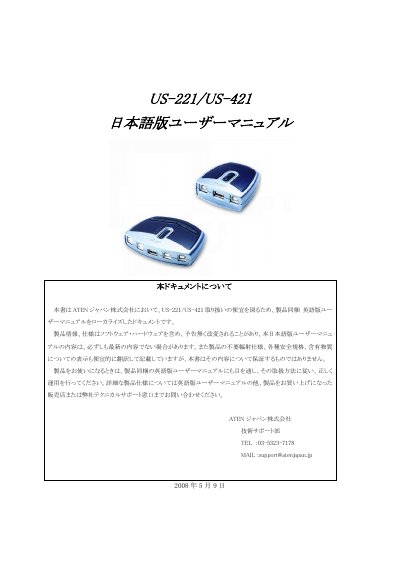
ATEN US-221/US-421 User Manual
This Japanese-language user manual provides setup instructions and warranty details for ATEN's US-221 and US-421 USB device switches. It includes information on product specifications, warranty terms, and troubleshooting. Users are advised to also consult the included English manual for full instructions. The manual covers warranty periods, repair costs, and conditions for warranty claims, including exclusions for misuse or damage from external factors. This manual is written in Japanese.
Read onlineATEN US-221 specifications
| Number of computer ports | 2 (US-221) / 4 (US-421) |
|---|---|
| Peripheral port type | 1 x USB Type A |
| Power supply | USB Bus Powered (5 V, 2.5 W) |
| Dimensions (L×W×H) | 7.2 × 6.6 × 2.5 mm (US-221), 10.2 × 7.6 × 2.3 mm (US-421) |
| Weight | 54 g (US-221), 97 g (US-421) |
| Operating temperature | 5 °C – 40 °C |
| Storage temperature | -20 °C – 60 °C |
| Humidity range | 0 % – 80 % RH (non‑condensing) |
| Over‑current protection | Poly fuse |
Source: ATEN US-221 / US-421 USB 2.0 Peripheral Switch User Manual
All ATEN US-221 documents by type
Day-to-day operation, settings and troubleshooting. Start here if the product is already set up.
Questions answered in these manuals
What is the US-221/US-421 designed for?
It is designed for operating, managing, and controlling computer mainframes and interfaces.
What items are included in the US-221 package?
It includes one US-221 2-port USB2.0 device switch, one USB cable, one software CD, and one Japanese user manual.
How do I manually switch the peripheral focus between computers?
Press and hold the port selection switch on the top of the unit until you hear a beep or see the next port’s LED light illuminate.
From: ATEN US-221 / US-421 USB 2.0 Peripheral Switch User Manual
How can I use hotkeys to change the active computer?
Press the Num Lock key twice to bring focus to your computer, or press Scroll Lock twice (US‑421 only) to move focus to the next port, after enabling the Next Port Hotkey in the program options.
From: ATEN US-221 / US-421 USB 2.0 Peripheral Switch User Manual