
Key facts
- Brand
- Siemens
- Model
- OP17
- Documents
- 9
- Languages
- EN · ZH
- Last added
- 2012-05-04
Start here
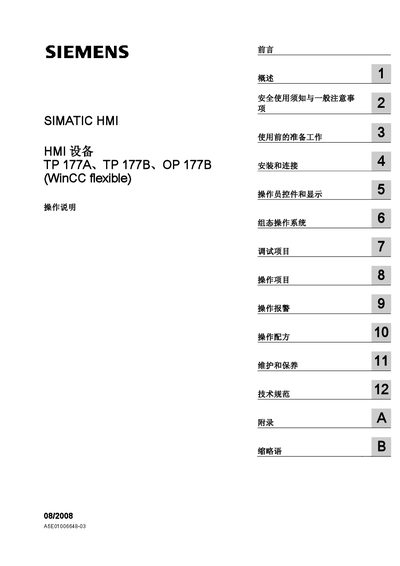
Siemens SIMATIC HMI TP 177A/TP 177B/OP 177B Operating Instructions
This manual provides operating instructions for the Siemens SIMATIC HMI devices TP 177A, TP 177B and OP 177B. It is intended for users, commissioning engineers, service technicians and maintenance personnel who work with WinCC flexible‑based HMI systems.
The document covers safety information, preparation, installation and wiring, operator controls, screen configuration, alarm handling, recipe management, troubleshooting, and maintenance procedures. It also lists technical specifications and optional software add‑ons for the devices. This manual is written in Chinese.
Siemens SIMATIC OP17 specifications
| Overall dimensions (OP7) | 144 mm x 180 mm x 42.5 mm |
|---|---|
| Degree of protection (front) | IP65 |
| Degree of protection (rear) | IP20 |
| Weight (OP7) | 0.430 kg |
| Flash memory (OP7) | 128 kbytes |
| Number of display lines | 4 (configurable to 8) |
| Characters per line | 20 (or 40 when 8 lines) |
| Font size | 8 mm (OP7) / 11 mm or 6 mm (OP17, depending on lines) |
All Siemens SIMATIC OP17 documents by type
Day-to-day operation, settings and troubleshooting. Start here if the product is already set up.
- Siemens OP7 OP17 Operator Panel Equipment Manual 196 p
- Siemens SIMATIC HMI Touch Panel TP 170A/TP 170B and OP 170B Device Manual 178 p
- Siemens SIMATIC TP 177A, TP 177B, OP 177B User Manual 290 p
- Siemens SIMATIC HMI TP 177A/TP 177B/OP 177B Operating Instructions 412 p
- Siemens SIMATIC TP 170micro, TP 170A, TP 170B, OP 170B HMI Operating Instructions 232 p
- Siemens TP 170micro TP 170A TP 170B OP 170B Operating Guide 230 p
- Siemens SIMATIC HMI TP 170A/TP 170B/OP 170B Device Manual 178 p
- Siemens TP 170A / TP 170B / OP 170B Touch Panel Device Manual 177 p
- Siemens TP 170A, TP 170B, OP 170B Touch Panel Operator Panel User Manual 178 p
Questions answered in these manuals
What is the IP rating of the front panel for the OP7?
The front panel of the OP7 has an IP65 degree of protection.
What are the overall dimensions of the OP7 panel?
The OP7 measures 144 mm × 180 mm × 42.5 mm (W × H × D).
What does the warning triangle symbol indicate in the safety section?
It marks personal safety warnings that could cause death or serious injury.
Who is allowed to install and operate the HMI devices?
Only qualified professionals may install, connect, and operate the equipment.
From: Siemens SIMATIC HMI TP 177A/TP 177B/OP 177B Operating Instructions
What safety symbols are used in the manual?
A warning triangle indicates personal safety warnings, while other symbols indicate property‑damage warnings.
From: Siemens SIMATIC HMI TP 177A/TP 177B/OP 177B Operating Instructions
What does the warning triangle symbol indicate in the safety section?
The warning triangle marks a safety warning that, if ignored, could cause death or serious personal injury.
From: Siemens SIMATIC TP 170micro, TP 170A, TP 170B, OP 170B HMI Operating Instructions