
Key facts
- Brand
- Siemens
- Model
- SIMATIC S7
- Industry
- Industrial
- Documents
- 44
- Languages
- ZH · EN
- Last added
- 2026-09-30
Start here
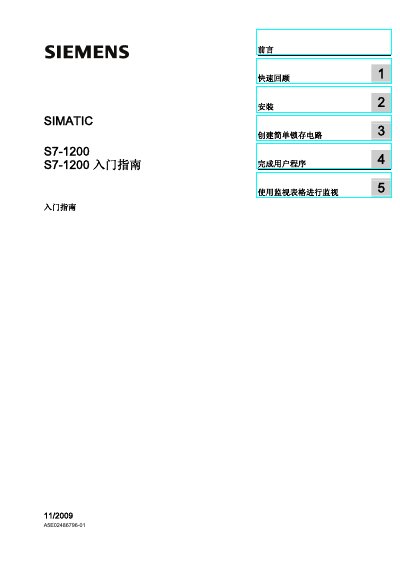
Siemens S7-1200 Quick Start Guide
The Siemens S7-1200 Quick Start Guide introduces the compact, low‑cost controller and walks new users through basic installation, creating a simple latch circuit, completing a user program, and using monitoring tables. It references the full SIMATIC S7-1200 Programmable Controller System Manual for detailed safety and hardware information.
The guide also explains CPU operation modes, power requirements, and how to change modes via the operator panel. An index and quick‑review sections help users locate information about I/O, memory, and programming functions quickly. This manual is written in Chinese.
Siemens SIMATIC S7 specifications
| Supported CPU series | S7‑1500F, S7‑1500T, S7‑1500C, S7‑1500pro, ET200SP CPU |
|---|---|
| Supported Ethernet protocols | TCP, ISO‑on‑TCP, UDP, Modbus TCP, FTP, SNMP |
| SNMP capability | Can be disabled via 3.6.1 procedure |
Source: Siemens SIMATIC S7-1500 Communication Functions Manual
All Siemens SIMATIC S7 documents by type
Day-to-day operation, settings and troubleshooting. Start here if the product is already set up.
- Siemens SIMATIC S7-1500 Communication Functions Manual 238 p
- Siemens SIMATIC S7-300 CPU 31xC & CPU 31x Technical Specifications Manual 420 p
- Siemens S7-1200 System Manual 404 p
- SIEMENS SIMATIC S7-400 controller module FM 455 Manual 260 p
- SIEMENS SIMATIC S7-200 Can be made available program controller E20001-H5540-C400-V2-5D00 system Manual 596 p
- SIEMENS SIMATIC S7-300AndS7-400Of Standard software PID control user manual 44 p
- Siemens S7-400 User Manual 184 p
- Siemens SIMATIC S7 Hardware Configuration Manual 31 p
- SIEMENS SIMATIC S7-300 temperature regulator FM 355-2 operating instructions 222 p
- Siemens SIMATIC S7-200 User Manual 28 p
- Siemens SIMATIC S7-1200 Getting Started Manual 137 p
- Siemens SIMATIC S7-400H Fault‑tolerant System User Manual 212 p
Mounting, wiring and first power-up. Read it before the hardware goes in.
Instruction set, parameters and examples for configuring or programming the device.
The shortest path to a working setup, usually only a few pages.
Disassembly, diagnostics and part numbers, for repair.
Ratings, dimensions and ordering codes, for selection and design work.
- SIEMENS SIMATIC S7-300 module handbook
- SIEMENS SIMATIC S7-300 SM331; AI 8x12 Position Quick Start Guide user guide
- SIEMENS SIMATIC S7-200 Text display equipment TD400C Manual
- SIEMENS SIMATIC S7-300CPU 31xCAndCPU31x technology handbook
- SIEMENS SIMATIC S7-300AndS7-400Of Standard software PID control Application Note
- SIEMENS SIMATIC S7 Can programming logic controller installation service manual
- SIEMENS SIMATIC S7-200 Can programming controller system Manual(2)
- SIEMENS SIMATIC S7-200 Can programming controller system Manual
- SIEMENS SIMATIC S7-200 Can programming controller system Manual 1
- SIEMENS SIMATIC S7-300/400Of system softwareand Standard function Reference Manual
- SIEMENS SIMATIC S7-300 Can be made available program controller Manual
- SIEMENS SIMATIC S7-400 S7-400 automate system CPU specifications Manual
- SIEMENS SIMATIC S7-300 S7-300 CPU date CPU 315T-2 DP solutions manual
- SIEMENS simatic S7-200 Can be made available program controller Manual
- SIEMENS SIMATIC S7-300 S7-300 CPU 31xC CPU 31x Installation Guide
- SIEMENS SIMATIC S7-300 Manual 2010(1)
- SIEMENS SIMATIC S7-300 Manual 2010(1)(1)
- SIEMENS SIMATIC S7-300 CPU 31xC CPU 31x technology specifications solutions manual
- SIEMENS SIMATIC S7-300 Can programming controller Manual
- SIEMENS SIMATIC S7-200 Can programming controller operating instructions
Questions answered in these manuals
How can SNMP be disabled on a CPU?
SNMP can be disabled by following the procedure described in section 3.6.1 "禁用 SNMP" of the manual.
From: Siemens SIMATIC S7-1500 Communication Functions Manual
What data can an OPC UA client access from the server?
An OPC UA client can read PLC variable values, their data types, and CPU information such as server and endpoint details.
From: Siemens SIMATIC S7-1500 Communication Functions Manual
Who is the intended audience for this manual?
The manual is aimed at engineers, programmers, installers, and electricians who have basic knowledge of programmable logic controllers.
What do the safety warning symbols mean?
A warning triangle indicates a personal safety hazard; a warning without the triangle indicates a property‑damage hazard; a caution sign indicates a possible undesirable result.
What do the warning triangles in the manual indicate?
A warning triangle marks personal safety hazards; the shape and color denote the severity of the risk.
From: SIEMENS SIMATIC S7-400 controller module FM 455 Manual
Who is authorized to install and operate the FM 455 module?
Only qualified professional personnel, as defined by safety standards, may install, debug and operate the module.
From: SIEMENS SIMATIC S7-400 controller module FM 455 Manual