
Key facts
- Brand
- Philips
- Model
- SA2980
- Category
- Player
- Industry
- Appliances
- Documents
- 2
- Languages
- EN
- Last added
- 2011-12-21
Start here
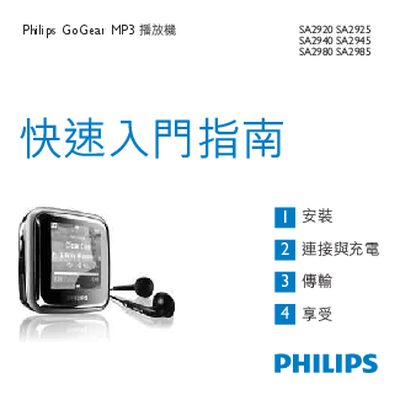
Philips SA2920/SA2925/SA2940/SA2945/SA2980/SA2985 MP3 Player User Manual
This manual guides you through the quick‑start steps, installation of the Philips Device Manager, connecting the player to a computer via the mini‑USB cable, and using the on‑device controls for playback, radio, and audio modes. It also explains how to transfer music, update firmware, and access the main menu functions.
The booklet lists the box contents, outlines the required PC specifications for software installation, and provides environmental disposal information for the built‑in battery and packaging in accordance with European WEEE directives.
Philips SA2980 specifications
| Minimum PC Processor | Pentium 800 MHz or higher |
|---|---|
| Minimum RAM | 128 MB |
| Minimum Hard Disk Space | 500 MB |
| USB Interface | Mini‑USB connector |
Source: Philips GoGear MP3 SA2920/SA2925/SA2940/SA2945/SA2980/SA2985 User Manual
All Philips SA2980 documents by type
Day-to-day operation, settings and troubleshooting. Start here if the product is already set up.
Questions answered in these manuals
How do I install the Philips Device Manager?
Connect the mini‑USB cable to the player, then follow the on‑screen prompts to install Philips Device Manager on your computer.
From: Philips SA2920/SA2925/SA2940/SA2945/SA2980/SA2985 MP3 Player User Manual
How can I update the MP3 player firmware?
Connect the player to a PC with internet access; the device will automatically check for and download any available firmware updates from Philips' support website.
From: Philips SA2920/SA2925/SA2940/SA2945/SA2980/SA2985 MP3 Player User Manual
How do I install the Philips Device Manager?
Connect the mini‑USB cable to the player and the PC, then select “Install Philips Device Manager” from the pop‑up window or via the computer’s context menu for the GoGear device.
From: Philips GoGear MP3 SA2920/SA2925/SA2940/SA2945/SA2980/SA2985 User Manual
How do I charge the GoGear MP3 player?
Plug the supplied USB cable into the player’s mini‑USB port and connect the other end to a USB port on a computer or a compatible charger.
From: Philips GoGear MP3 SA2920/SA2925/SA2940/SA2945/SA2980/SA2985 User Manual