
Key facts
- Brand
- Philips
- Model
- SA2920
- Category
- Player
- Industry
- Appliances
- Documents
- 5
- Languages
- ZH · EN
- Last added
- 2012-02-28
Start here
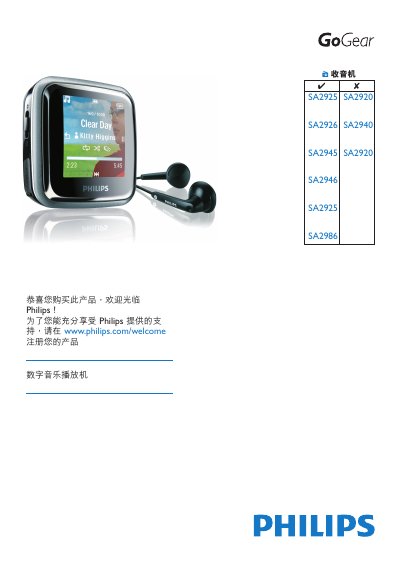
Philips GoGear SA2920/SA2925/SA2926/SA2940/SA2945/SA2946/SA2986 Quick Start Guide
This guide provides essential safety information, basic operation steps, and feature highlights for the Philips GoGear portable audio‑video player. It includes instructions for playing MP3 and WMA files, using the USB interface, and managing stored media.
The document also covers updating the device firmware, recommended operating and storage temperature ranges, and a brief FAQ section addressing common user questions.
Philips SA2920 specifications
| Minimum PC Processor | Pentium 800 MHz or higher |
|---|---|
| Minimum RAM | 128 MB |
| Minimum Hard Disk Space | 500 MB |
| USB Interface | Mini‑USB connector |
Source: Philips GoGear MP3 SA2920/SA2925/SA2940/SA2945/SA2980/SA2985 User Manual
All Philips SA2920 documents by type
Day-to-day operation, settings and troubleshooting. Start here if the product is already set up.
The shortest path to a working setup, usually only a few pages.
Questions answered in these manuals
Can the device be immersed in water?
No, the manual states the device must not be immersed in water.
Which USB cable should be used with the player?
Use only the USB cable supplied with the device.
How do I install the Philips Device Manager?
Connect the mini‑USB cable to the player, then follow the on‑screen prompts to install Philips Device Manager on your computer.
From: Philips SA2920/SA2925/SA2940/SA2945/SA2980/SA2985 MP3 Player User Manual
How can I update the MP3 player firmware?
Connect the player to a PC with internet access; the device will automatically check for and download any available firmware updates from Philips' support website.
From: Philips SA2920/SA2925/SA2940/SA2945/SA2980/SA2985 MP3 Player User Manual
How do I install the Philips Device Manager?
Connect the mini‑USB cable to the player and the PC, then select “Install Philips Device Manager” from the pop‑up window or via the computer’s context menu for the GoGear device.
From: Philips GoGear MP3 SA2920/SA2925/SA2940/SA2945/SA2980/SA2985 User Manual
How do I charge the GoGear MP3 player?
Plug the supplied USB cable into the player’s mini‑USB port and connect the other end to a USB port on a computer or a compatible charger.
From: Philips GoGear MP3 SA2920/SA2925/SA2940/SA2945/SA2980/SA2985 User Manual