
Key facts
- Brand
- Philips
- Model
- MC147
- Documents
- 5
- Languages
- ZH · EN
- Last added
- 2011-12-21
Start here
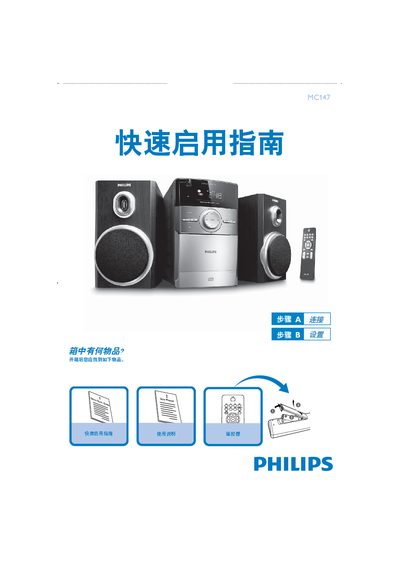
Philips MC147 Remote Control Quick Start Guide
The guide begins with a list of items included in the box and explains how to connect the power cord to an AC outlet and attach speaker cables to the left and right SPEAKERS ports. It also notes that the FM antenna is fixed and does not require a separate connection.
Subsequent sections describe how to insert and play a CD, set the clock in 12‑ or 24‑hour mode, and tune the radio. Usage tips remind users to select a source (e.g., DISC or AUX) before choosing a function on the remote. This manual is written in Chinese.
Philips MC147 specifications
| Output Power | 2 × 2 W RMS |
|---|---|
| Signal‑to‑Noise Ratio | ≥ 60 dBA (IEC) |
| Frequency Response | 125 – 16000 Hz |
| Speaker Impedance | 8 Ω |
| Power Consumption (working) | 15 W |
| Dimensions (W × H × D) | 134 × 230 × 152 mm |
| Weight (with speakers) | ≈ 3.65 kg |
All Philips MC147 documents by type
Day-to-day operation, settings and troubleshooting. Start here if the product is already set up.
The shortest path to a working setup, usually only a few pages.
Questions answered in these manuals
How do I connect the power cord?
Connect the power cord to an AC outlet.
How do I set the clock?
Press the CLOCK/DISPLAY key for 2 seconds, use PROG to select 12‑hour or 24‑hour mode, adjust hours and minutes with the TUNING keys, and confirm with CLOCK/DISPLAY.
What should I do if the CD does not play and shows “NO CD”?
Check that the disc is correctly inserted with the printed side up, ensure the disc is not upside‑down, and wait for any condensation on the laser head to evaporate before trying again.
How can I reduce power consumption when the unit is not in use?
Press the STANDBY ON key to put the system into standby mode, or unplug the AC power cord to completely cut power.
What should I do if the display shows “NO CD”?
Make sure a disc is loaded correctly, check that it is not upside‑down, and allow any moisture on the laser lens to evaporate before trying again.
How can I improve poor radio reception?
Adjust or extend the antenna, or connect an outdoor antenna to obtain a stronger signal.