
Key facts
- Brand
- Philips
- Model
- DC190
- Documents
- 4
- Languages
- ZH
- Last added
- 2012-03-14
Start here
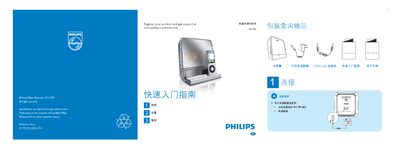
Philips DC190 Base Entertainment System Quick Start Guide
This guide introduces the Philips DC190 base entertainment system, listing the items included in the packaging and showing how to connect the AC adapter, MP3 link cable and other accessories. It provides step‑by‑step instructions for basic playback functions, including selecting sources and controlling iPod playback.
The document also explains how to set the clock, configure alarm timers and choose alarm modes, with detailed button sequences for adjusting hours, minutes, weekdays and alarm volume. Additional tips cover automatic station scanning and using the alarm with iPod, radio or buzzer sources. This manual is written in Chinese.
Philips DC190 specifications
| Rated output power | 2 x 1.5 W RMS |
|---|---|
| Signal‑to‑noise ratio (amp) | >55 dB |
| FM tuning range | 87.5 – 108 MHz |
| Power input (adapter) | 100‑240 V, 50/60 Hz, 0.5 A |
| Power output (adapter) | 6.5 V DC, 1.3 A |
| Operating power consumption | < 5 W |
| Standby power consumption | < 2 W |
| Dimensions (W × H × D) | 144 mm × 144 mm × 62 mm |
| Weight (main unit) | 0.44 kg |
All Philips DC190 documents by type
Day-to-day operation, settings and troubleshooting. Start here if the product is already set up.
The shortest path to a working setup, usually only a few pages.
Questions answered in these manuals
How do I set the clock on the Philips DC190?
In standby mode, hold the TIME SET/AUTO SCAN button for 2 seconds, then use the TUNING +/- buttons to adjust the hour, press TIME SET/AUTO SCAN again, adjust the minutes, and repeat for the weekday.
From: Philips DC190 Base Entertainment System Quick Start Guide
How can I activate an alarm on the DC190?
Press ALARM 1 or ALARM 2 repeatedly to activate the timer; the display will show the alarm status. Press the same button again to deactivate it.
From: Philips DC190 Base Entertainment System Quick Start Guide
What should I do if there is no sound?
Check that the volume is turned up, the correct source is selected, and the power adapter is properly connected.
What are the power requirements for the DC190?
The supplied adapter works with 100‑240 V AC, 50/60 Hz, 0.5 A input and provides 6.5 V DC at 1.3 A output.