
This document is a quick start guide for the Philips DC190 docking entertainment system, providing instructions for connecting, setting up, and playing the system.
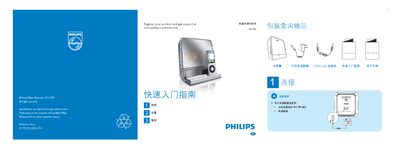
This guide introduces the Philips DC190 base entertainment system, listing the items included in the packaging and showing how to connect the AC adapter, MP3 link cable and other accessories. It provides step‑by‑step instructions for basic playback functions, including selecting sources and controlling iPod playback.
The document also explains how to set the clock, configure alarm timers and choose alarm modes, with detailed button sequences for adjusting hours, minutes, weekdays and alarm volume. Additional tips cover automatic station scanning and using the alarm with iPod, radio or buzzer sources. This manual is written in Chinese.
| Power Input Connector | DC IN |
|---|
In standby mode, hold the TIME SET/AUTO SCAN button for 2 seconds, then use the TUNING +/- buttons to adjust the hour, press TIME SET/AUTO SCAN again, adjust the minutes, and repeat for the weekday.
Press ALARM 1 or ALARM 2 repeatedly to activate the timer; the display will show the alarm status. Press the same button again to deactivate it.