
Key facts
- Brand
- Philips
- Model
- 239CL2
- Documents
- 2
- Languages
- ZH
- Last added
- 2011-12-16
Start here
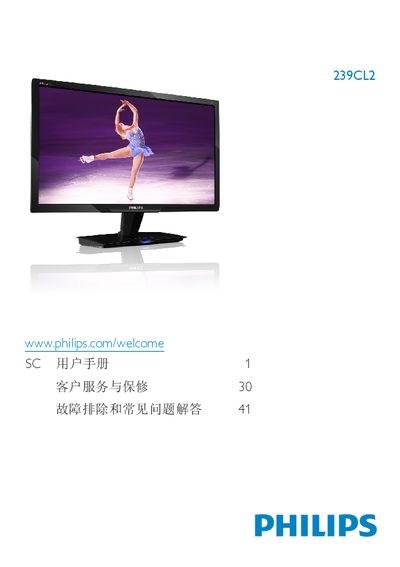
Philips 239CL2 Monitor User Manual
This manual covers safety precautions, installation steps, and basic operation of the Philips 239CL2 23‑inch LCD monitor. It explains how to set up the monitor, connect power and video cables, and use the on‑screen display (OSD) to adjust picture modes such as SmartImage.
The document also lists technical specifications, warranty information, and a detailed FAQ section that helps resolve common issues like unsupported video modes, cleaning the screen, and adjusting refresh rates. This manual is written in Chinese.
Philips 239CL2 specifications
| Panel type | TFT‑LCD |
|---|---|
| Screen size | 23" (58.42 cm) |
| Resolution | 1920 × 1080 @ 60 Hz |
| Brightness | 250 cd/m² |
| Contrast ratio (typical) | 1000:1 |
| Response time (typical) | 2 ms |
| Color gamut | 16.7 million colors |
| Vertical refresh rate | 56 – 76 Hz |
| Power consumption (typical) | 23.88 W |
All Philips 239CL2 documents by type
Day-to-day operation, settings and troubleshooting. Start here if the product is already set up.
Questions answered in these manuals
我可以更改显示器的色彩设定吗?
可以,使用显示器前面的按钮进入 OSD 菜单,选择 Color(色彩)并按 OK,即可调节色温、色彩强度或使用用户自定义设置。
What should I do if the monitor shows “Cannot display this video mode”?
Set the PC to the recommended resolution of 1920 × 1080 @ 60 Hz, then reconnect the monitor and power it on.
What is the recommended refresh rate for this monitor?
The recommended refresh rate is 60 Hz, though you can try up to 75 Hz to check for interference.