
Key facts
- Brand
- Philips
- Model
- 20PF5120
- Documents
- 2
- Languages
- ZH
- Last added
- 2000-01-01
Start here
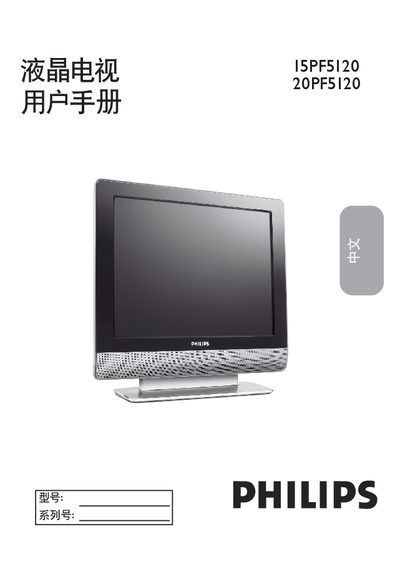
Philips 15PF5120 20PF5120 LCD TV User Manual
This manual covers important safety symbols, installation precautions, and recommended environmental conditions for the 15PF5120 and 20PF5120 LCD TVs. It explains how to register the product, handle the power cord, and avoid hazards such as electric shock, water exposure, and improper mounting.
The guide also details language selection, automatic and manual channel search, picture and sound menu settings, PC mode, and how to reset the TV to factory defaults. Troubleshooting steps for power, picture, sound, and remote‑control issues are included, along with maintenance and cleaning recommendations. This manual is written in Chinese.
Philips 20PF5120 specifications
| Screen size | 20 inches |
|---|---|
| Native resolution | 800 x 600 pixels |
| Brightness | 500 cd/m² |
| Contrast ratio | 500:1 |
| Refresh rates (800×600) | 56, 60, 72, 75 Hz |
| Power supply | AC 90‑240 V |
| Weight | 8.5 kg |
| Dimensions with stand | 506 × 444 × 80 mm |
Source: Philips 20PF5120 User Manual
All Philips 20PF5120 documents by type
Day-to-day operation, settings and troubleshooting. Start here if the product is already set up.
Questions answered in these manuals
How do I change the TV language to English or Chinese?
Press the MENU button, highlight “設定”, then select “語言”. Choose “English” or “Simplified Chinese” and confirm.
What should I do if the TV does not power on?
Check that the power cord is securely plugged in, wait 10 seconds after unplugging, then plug it back in and press the POWER button.
What is the native resolution of the Philips 20PF5120 monitor?
The monitor’s native resolution is 800 × 600 pixels.
What are the dimensions of the monitor with its stand?
With the stand, the monitor measures 506 mm wide, 444 mm high, and 80 mm deep.