
Key facts
- Brand
- Brother
- Model
- MFC-3240C
- Category
- Fax machine
- Industry
- Computers
- Documents
- 6
- Languages
- EN · ZH · DA · JA
- Last added
- 2012-07-02
Start here
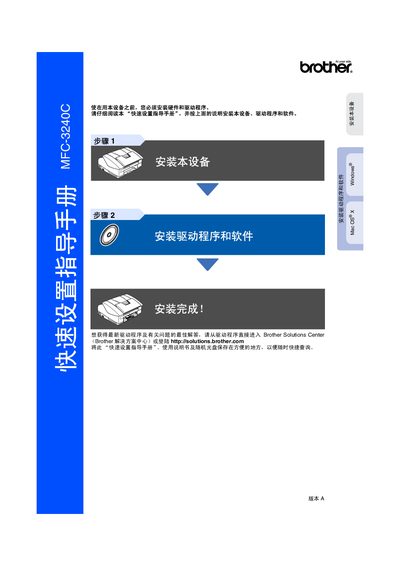
Brother MFC-3240C Quick Start Guide
This guide walks users through the initial setup of the Brother MFC‑3240C multifunction printer. It covers hardware installation, driver and software installation, and basic operation such as loading paper and using the control panel.
Key steps include removing protective covers, connecting power and telephone lines, loading paper correctly, and installing the appropriate drivers for Windows or Mac OS X. Safety warnings and troubleshooting tips are also included to help avoid damage or injury. This manual is written in Chinese.
Brother MFC-3240C specifications
| Ringer Equivalence Number limit | Maximum 5 |
|---|---|
| Ink Cartridge Standard Black | Prints up to 500 pages |
| Power Protector QPD120 | 2 outlets |
All Brother MFC-3240C documents by type
Day-to-day operation, settings and troubleshooting. Start here if the product is already set up.
The shortest path to a working setup, usually only a few pages.
Questions answered in these manuals
Where can I find the latest software and utilities for my Brother product?
You can download the latest software and utilities from the Brother Solutions Center at http://solutions.brother.com.
From: brother FAX-1840C FAX-1940CN MFC-3240C MFC-3340CN user manual
How do I register my new Brother product?
You can register your new product on-line at http://www.brother.com/registration or by faxing the Warranty Registration And Test Sheet.
From: brother FAX-1840C FAX-1940CN MFC-3240C MFC-3340CN user manual
What is the warranty period for the machine?
The machine is covered by a one‑year limited warranty; consumables are covered for 90 days.
What is the U.S. customer service phone number?
Call 1‑800‑284‑4329 for voice support in the United States.
How can I obtain the latest drivers for the MFC‑3240C?
Visit the Brother Solutions Center website or use the supplied CD to download and install the latest drivers.
Which operating systems are supported by the MFC‑3240C drivers?
The printer supports Windows 98/98SE/Me/2000 Professional and macOS X 10.2.4 or later.