
Key facts
Start here
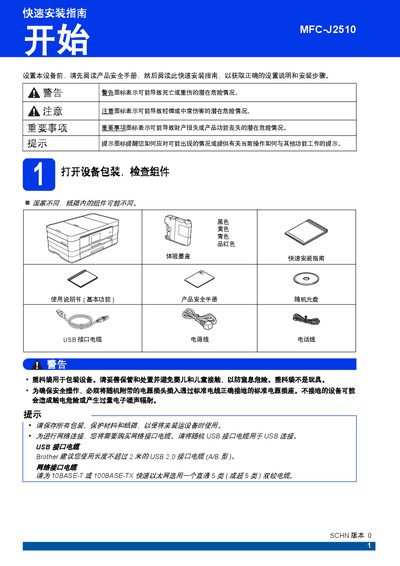
Brother MFC-J2510 Quick Start Guide
This guide covers the initial setup of the Brother MFC-J2510 multifunction printer. It includes steps for unpacking, removing protective films, and checking components. The guide details how to load paper into the tray and connect the power and telephone lines. This manual is written in Chinese.
Read onlineBrother MFC-J2510 specifications
| Printer Type | Inkjet Printer |
|---|---|
| Memory Capacity | 128 MB |
| LCD Screen | 3.7 inch TFT Color Touchscreen |
| Power Supply | AC 220 ~ 240 V 50/60 Hz |
| Fax Modem Speed | Automatic Speed Reduction 33,600 bps |
| Fax Resolution (Standard) | 203 x 98 dpi (B/W), 203 x 196 dpi (Color) |
| Paper Tray Capacity | Approx. 150 sheets |
| Address Book Capacity | 100 names x 2 numbers or email addresses |
All Brother MFC-J2510 documents by type
Day-to-day operation, settings and troubleshooting. Start here if the product is already set up.
The shortest path to a working setup, usually only a few pages.
Questions answered in these manuals
What is the memory capacity of the Brother MFC-J2510?
The device has a memory capacity of 128 MB.
What is the maximum paper capacity of the paper tray?
The paper tray has a maximum capacity of approximately 150 sheets.
What operating systems are supported by this manual?
The manual specifies support for Windows XP, Windows Server 2003/2008, Windows Vista, and Windows 7.
What file types can be saved when scanning to email?
You can save scanned images as Windows Bitmap, JPEG, TIFF, PNG, PDF, or XML Paper Specification files.
What is the operating temperature range for the MFC-J2510?
The device must be placed in an environment where the temperature is controlled between 10°C and 35°C.
What is the frequency range used by the wireless function?
The wireless function operates within a frequency range of 2.4 - 2.4835 GHz.