
Key facts
- Brand
- Siemens
- Model
- OP 170B
- Industry
- Industrial
- Documents
- 6
- Languages
- ZH
- Last added
- 2012-02-13
Start here
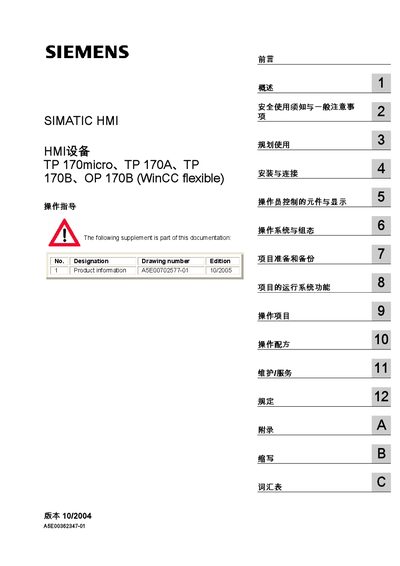
Siemens SIMATIC TP 170micro, TP 170A, TP 170B, OP 170B HMI Operating Instructions
The operating instructions are intended for users, commissioning engineers, service technicians, and maintenance personnel who work with the SIMATIC TP 170micro, TP 170A, TP 170B and OP 170B HMI devices. It covers safety information, planning, installation, connection, operator controls, system configuration, project preparation, execution, and service procedures.
Key sections include safety warnings, installation guidelines, wiring diagrams, communication setup with SIMATIC PLCs, WinCC flexible configuration, backup and restore of projects, and detailed maintenance tasks. The manual also provides an appendix with abbreviations, a glossary, and reference tables for alarm and screen capacities. This manual is written in Chinese.
Siemens OP 170B specifications
| Discrete alarms (TP 170micro) | 500 |
|---|---|
| Discrete alarms (TP 170B / OP 170B) | 2000 |
| Alarm text length per line (all models) | 80 characters |
Source: Siemens TP 170micro TP 170A TP 170B OP 170B Operating Guide
All Siemens OP 170B documents by type
Day-to-day operation, settings and troubleshooting. Start here if the product is already set up.
- Siemens SIMATIC HMI Touch Panel TP 170A/TP 170B and OP 170B Device Manual 178 p
- Siemens SIMATIC TP 170micro, TP 170A, TP 170B, OP 170B HMI Operating Instructions 232 p
- Siemens TP 170micro TP 170A TP 170B OP 170B Operating Guide 230 p
- Siemens SIMATIC HMI TP 170A/TP 170B/OP 170B Device Manual 178 p
- Siemens TP 170A / TP 170B / OP 170B Touch Panel Device Manual 177 p
- Siemens TP 170A, TP 170B, OP 170B Touch Panel Operator Panel User Manual 178 p
Questions answered in these manuals
What does the warning triangle symbol indicate in the safety section?
The warning triangle marks a safety warning that, if ignored, could cause death or serious personal injury.
From: Siemens SIMATIC TP 170micro, TP 170A, TP 170B, OP 170B HMI Operating Instructions
How many variables can be defined on a TP 170A device?
A TP 170A can hold up to 500 variables.
From: Siemens SIMATIC TP 170micro, TP 170A, TP 170B, OP 170B HMI Operating Instructions
What is the maximum number of discrete alarms for TP 170micro?
The TP 170micro can handle up to 500 discrete alarms.
From: Siemens TP 170micro TP 170A TP 170B OP 170B Operating Guide
How many characters are allowed per alarm text line?
Each alarm text line may contain up to 80 characters.
From: Siemens TP 170micro TP 170A TP 170B OP 170B Operating Guide
What does the danger symbol mean?
It indicates an extremely hazardous condition that, if not avoided, can cause death or serious personal injury.
From: Siemens TP 170A / TP 170B / OP 170B Touch Panel Device Manual
How do I backup or restore the internal flash memory?
Use the ProSave tool to backup or restore the internal flash on a storage card for TP 170B and OP 170B.
From: Siemens TP 170A / TP 170B / OP 170B Touch Panel Device Manual