
Key facts
- Brand
- Philips
- Model
- X700
- Category
- Cell Phones
- Industry
- Electronics
- Documents
- 2
- Languages
- ZH
- Last added
- 2012-03-13
Start here
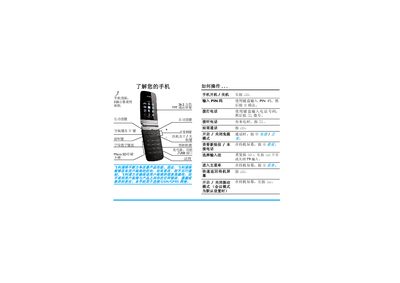
Philips X700 Phone User Manual
This manual introduces the Philips X700 mobile phone, covering its dual‑screen display, function keys, and basic operations such as making calls, sending messages, and using the camera. It explains how to insert the SIM card, charge the battery, and navigate the main and external menus.
Additional sections describe settings for vibration, sound, and T9 input, as well as tools like the calculator, browser, and voice memo. The document also includes troubleshooting tips, warranty information, and environmental compliance details. This manual is written in Chinese.
Philips X700 specifications
| Memory card slot | Micro SD |
|---|---|
| Battery type | Rechargeable battery |
| Display | Dual-screen |
Source: Philips X700 Phone User Manual
All Philips X700 documents by type
Day-to-day operation, settings and troubleshooting. Start here if the product is already set up.
Questions answered in these manuals
How do I turn the phone on and off?
Press and hold the power key to turn the phone on or off.
How do I insert the SIM card?
Open the back cover, remove the battery, align the SIM card with the slot (cut corner inward, metal contacts down) and push it in, then replace the battery.
How do I lock or unlock the external screen side key?
Press and hold the left side key to lock or unlock the external screen side key.
How can I start or pause music playback?
Press the select key to start or pause the music playback.