
This document introduces how to use Philips X700's external display, including how to view new events, play music, view and reply to missed calls, continue a call after closing the cover (when the headset is inserted), use the camera, camcorder, and listen to the radio.
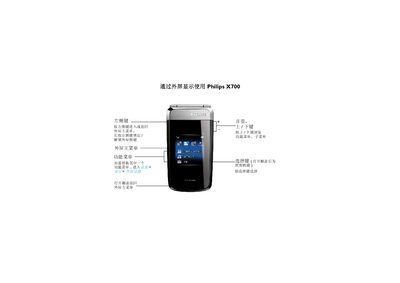
This manual provides step‑by‑step instructions for using the Philips X700 mobile phone. It covers external screen navigation, function menus, and how to lock or unlock side keys.
Additional sections describe handling incoming calls, playing music, operating the camera and video recorder, listening to the radio, and setting or stopping the alarm clock. This manual is written in Chinese.
Press and hold the left side key to lock or unlock the external screen side key.
Press the select key to start or pause the music playback.
Press the select key to stop the alarm when it sounds.