
Key facts
- Brand
- Philips
- Model
- LFH0652
- Category
- Voice recorder
- Industry
- Electronics
- Documents
- 4
- Languages
- EN · ZH
- Last added
- 2012-03-23
Start here
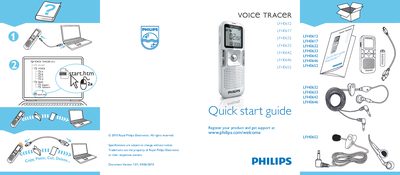
Philips MUSICVOICE TRACER LFH0612/ LFH0617/ LFH0632/ LFH0633/ LFH0642/ LFH0646/ LFH0652 Quick Start Guide
This quick start guide provides basic operating instructions for the Philips MUSICVOICE TRACER series. It includes product registration information and directs users to the support website for further assistance.
The document is version 1.01 dated 04/06/2010, and notes that specifications are subject to change without notice. All trademarks belong to Royal Philips Electronics or their owners.
Philips LFH0652 specifications
| Storage capacity | 2 GB |
|---|---|
| Supported audio formats | MP3, WMA, PCM (WAV) |
| Sampling rates | 44.1 kHz, 22 kHz, 16 kHz |
| Frequency response (SLP mode) | 250‑2000 Hz |
| Signal‑to‑noise ratio | > 60 dB |
| Battery type | AAALR03 |
| USB version | USB 2.0 |
| Display size | 34.5 mm × 1.4 mm |
All Philips LFH0652 documents by type
Day-to-day operation, settings and troubleshooting. Start here if the product is already set up.
The shortest path to a working setup, usually only a few pages.
Questions answered in these manuals
Where can I register my Philips MUSICVOICE TRACER product?
You can register the product at www.philips.com/welcome.
What is the version and date of this quick start guide?
The guide is version 1.01, dated 04/06/2010.
How do I charge the LFH0652?
The recorder is charged via a USB 2.0 cable that connects to a USB power source.
What audio formats can be recorded with the LFH0652?
It can record in MP3, WMA, and PCM (WAV) formats.
How do I turn on the Philips LFH0652 voice recorder?
Press and hold the f key until the startup animation appears on the screen.
How can I charge the recorder’s battery?
Connect the recorder to a computer with the USB cable; the built‑in LFH9154 battery will charge automatically, taking about 2.5 hours.