
Key facts
Start here
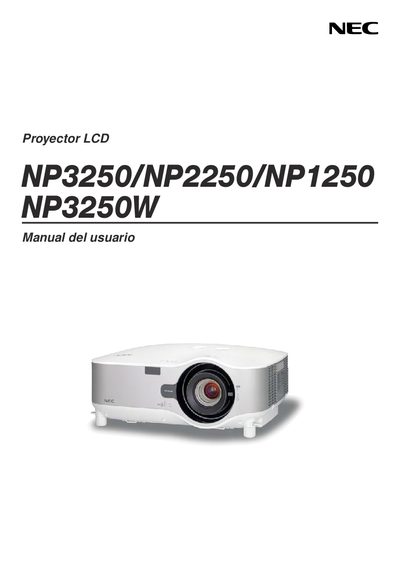
NEC NP3250/NP2250/NP1250/NP3250W Projector User Manual
This manual provides detailed safety precautions, installation guidelines, and operating instructions for the NEC NP3250, NP2250, NP1250, and NP3250W LCD projectors. It includes information on power requirements, lamp replacement, altitude settings, and optional LAN wireless USB unit usage.
The document also outlines the TravelCare service program, warranty exclusions, and procedures for repair, loan, and return of defective units. Users are advised to follow the specified precautions to avoid electric shock, fire hazards, and damage to the projector. This manual is written in Spanish.
NEC NP2250 specifications
| Input Voltage | 5 V |
|---|---|
| Transmit Current | 472 mA |
| Receive Current | 300 mA |
| Supported Wi‑Fi Standards | IEEE 802.11a/b/g |
| 802.11a Frequency Bands | 5150‑5350 MHz, 5725‑5850 MHz |
| 802.11b Frequency Band | 2412‑2462 MHz |
| LED Height | 1.1928 mm |
| LED Width | 0.43711 mm |
| Weight | 0.042 lb |
All NEC NP2250 documents by type
Day-to-day operation, settings and troubleshooting. Start here if the product is already set up.
- NEC NP3250/NP2250/NP1250/NP3250W User Manual 44 p
- NEC NP3250/NP2250/NP1250/NP3250W Manual(9)
- NEC NP3250/NP2250/NP1250/NP3250W Manual(8)
- NEC NP3250/NP2250/NP1250/NP3250W Projector User Manual 183 p
- NEC NP3250/NP2250/NP1250/NP3250W Projector User Manual 182 p
- NEC NP3250/NP2250/NP1250/NP3250W User Manual 44 p
- NEC NP3250/NP2250/NP1250/NP3250W Projector WPA Settings Manual 17 p
- NEC NP3250/NP2250/NP1250/NP3250W Projector User Manual 183 p
- NEC NP3250/NP2250/NP1250/NP3250W Configuration Guide 17 p
- NEC NP3250/NP2250/NP1250/NP3250W User Manual 97 p
- NEC NP3250/NP2250/NP1250/NP3250W Guide
Mounting, wiring and first power-up. Read it before the hardware goes in.
- NEC NP3250/NP2250/NP1250/NP3250W Installation Guide 17 p
- NEC NP3250/NP2250/NP1250/NP3250W Wireless LAN USB Unit Configuration Guide 44 p
- NEC NP3250/NP2250/NP1250/NP3250W Configuration Guide 17 p
- NEC NP3250/NP2250/NP1250/NP3250W LAN Configuration Guide 44 p
- NEC NP3250/NP2250/NP1250/NP3250W Projector Network Configuration Guide 44 p
- NEC NP3250/NP2250/NP1250/NP3250W Projector Network Setup Guide 44 p
- NEC NP3250/NP2250/NP1250/NP3250W LAN Configuration Guide 44 p
Questions answered in these manuals
How do I configure Wi‑Fi on the NEC NP3250 series?
Use the Wi‑Fi settings in the LAN configuration; the device supports WPA‑PSK, WPA‑EAP, WPA2‑PSK and WPA2‑EAP security modes.
Which wireless standards are supported?
The device supports IEEE 802.11a, 802.11b and 802.11g with the corresponding frequency ranges listed in the manual.
How do I configure WPA‑PSK or WPA2‑PSK on the projector?
Select [CONFIG.] → [INSTALACION] → [CONFIG. DE LA RED], choose the wireless tab, set the network type to [INFRAESTRUCTURA], select WPA‑PSK or WPA2‑PSK, choose TKIP or AES, and enter a key of 8‑63 characters.
What happens if the date and time are not set correctly before installing a digital certificate?
An "error de autenticación" message appears because the projector cannot verify the certificate’s expiration date.
How do I configure the LAN settings on the projector?
Use the “Konfigurieren der LAN‑Einstellungen des Projektors” section to set up either a wired RJ‑45 connection or a wireless USB LAN adapter, following the step‑by‑step instructions.
Which wireless security types are supported?
The adapter supports WPA‑PSK, WPA‑EAP, WPA2‑PSK and WPA2‑EAP security modes.