
Key facts
Start here
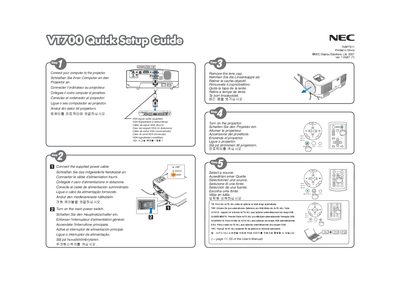
NEC VT700 Quick Start Guide
This quick start guide provides essential information to get the NEC VT700 display up and running. It includes basic connection instructions, power setup, and how to use the automatic image adjustment feature.
The guide also offers brief troubleshooting tips and notes on VGA input handling, helping users achieve optimal picture quality with minimal effort.
NEC VT700 specifications
| Power supply | 100‑240 V AC, 50/60 Hz |
|---|---|
| Lamp type | Mercury high‑pressure lamp |
| Maximum tilt angle | 10 degrees |
| Recommended ventilation clearance | Minimum 4 inches (10 cm) around the projector |
| Altitude mode activation altitude | ≈ 5500 ft (1600 m) or higher |
All NEC VT700 documents by type
Day-to-day operation, settings and troubleshooting. Start here if the product is already set up.
The shortest path to a working setup, usually only a few pages.
Questions answered in these manuals
What minimum ventilation space should be left around the projector?
Leave at least 4 inches (10 cm) of space between the projector and surrounding walls.
What voltage range does the projector require?
The projector is designed to operate with a 100‑240 V AC power source at 50/60 Hz.
What clearance is required for proper ventilation?
Leave at least 4 inches (10 cm) of space between the projector and surrounding walls or objects.
When and how should the lamp be replaced?
Replace the lamp when the message "La lampara ha alcanzado el fin de su vida" appears, following the instructions on page 50.
How should the projector be powered off safely?
Before turning off the main power, you must unplug the mains plug from the wall socket.
What must be done when the lamp reaches the end of its life?
Replace the lamp following the instructions on page 50; the unit will display a message indicating the lamp’s end of life.