
Key facts
- Brand
- NEC
- Model
- VT650
- Category
- Projector
- Industry
- Electronics
- Documents
- 5
- Languages
- EN · IT · DE · FR
- Last added
- 2012-08-02
Start here
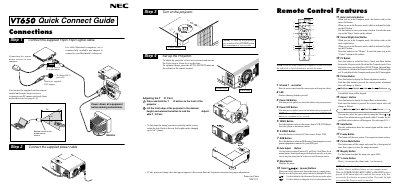
NEC VT650 Quick Connect Guide
The VT650 Quick Connect Guide provides step‑by‑step instructions for wiring the projector, attaching the supplied 15‑pin signal cable, and using the optional PS/2 adapter for older Macintosh computers. It also explains how to set up the remote wireless mouse receiver and power up the unit.
Additional sections cover image adjustment (focus, zoom, keystone, tilt foot), button functions (POWER, AUTO ADJUST, MENU, PJ, etc.), and troubleshooting common problems such as power failures, no picture, and remote‑control issues.
NEC VT650 specifications
| Lamp power | 160 W (130 W Eco mode) |
|---|---|
| Lamp life (Eco mode) | up to 3000 hours |
| Input voltage | 100‑120 V / 200‑240 V 50/60 Hz |
| Maximum image size | 300 inches diagonal |
| Native resolution | UXGA (1600 × 1200) |
Source: NEC VT650 Projector User Manual
All NEC VT650 documents by type
Day-to-day operation, settings and troubleshooting. Start here if the product is already set up.
The shortest path to a working setup, usually only a few pages.
Questions answered in these manuals
Where is the serial number located on the VT650 projector?
The serial number is found under the name plate label on the right side of the unit.
What are the sound pressure levels for this projector?
The sound pressure level is less than 70 dB (A) according to ISO 3744 or ISO 7779.
What should I check if the projector does not turn on?
Make sure the power cable is plugged in, the power button on the projector or remote is pressed, and the lamp cover is correctly installed.
How can I fix a non‑square image on the screen?
Use the Keystone (Chiave) function in the Image Options menu to correct trapezoidal distortion.
What should I do when the lamp reaches the end of its life?
When the message “Das Ende der Lampenlebensdauer ist erreicht” appears, replace the lamp promptly to avoid damage.
How should the projector be installed for optimal safety?
Place the projector on a flat, level surface in a dry location away from direct sunlight, and have any ceiling mounting performed by a qualified technician.