
Key facts
Start here
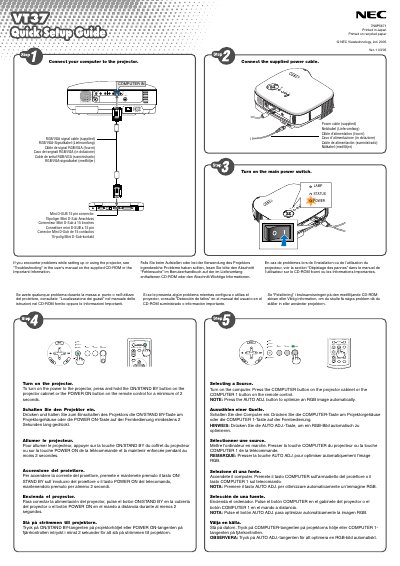
NEC VT37 Projector quick user manual
The guide explains how to connect the projector to a computer and power source using the supplied cables, then turn on the unit by pressing and holding the ON/STAND BY button for at least two seconds. It also covers basic remote‑control functions such as the COMPUTER and POWER ON buttons.
Additional sections describe how to extend the adjustable tilt foot, adjust image size with the Digital ZOOM button, focus with the focus ring, and correct keystone distortion via the MENU and SELECT keys.
All NEC VT37 documents by type
Day-to-day operation, settings and troubleshooting. Start here if the product is already set up.
The shortest path to a working setup, usually only a few pages.
Questions answered in these manuals
How can I adjust the image size on the projector?
Use the Digital ZOOM button on the projector cabinet to enlarge or reduce the image electronically.
How should the projector be powered off safely?
Turn off the power and unplug the power cord from the wall outlet.
What steps must be taken before replacing the lamp?
Turn off the projector, wait at least 30 seconds, switch off the main power, unplug the power cable, and wait 60 minutes for cooling before replacing the lamp.
How should the projector be powered off safely?
Unplug the mains plug from the socket before turning off the projector.
What ventilation clearance is required around the projector?
Leave at least 4 inches (10 cm) of space between the projector and surrounding walls to ensure adequate ventilation.
How should the projector be placed for optimal use?
Place the projector on a flat, level surface in a dry area away from dust and moisture, and avoid direct sunlight or heat sources.