
Key facts
Start here
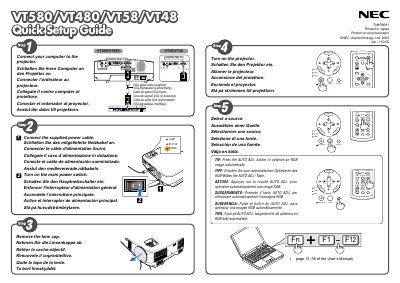
NEC VT580/VT480/VT58/VT48 Projector Quick Start Guide
This guide provides the essential steps to set up NEC VT580/VT480/VT58/VT48 projectors. It covers connecting power, adjusting the tilt foot, and using the zoom and focus controls.
The manual also explains how to use the Auto Keystone Correction (Vertical) and manual keystone distortion correction features, helping you achieve a properly aligned image quickly. This manual is written in Japanese.
All NEC VT480 documents by type
Day-to-day operation, settings and troubleshooting. Start here if the product is already set up.
The shortest path to a working setup, usually only a few pages.
Questions answered in these manuals
How do I adjust the tilt of the projector?
Adjust the tilt foot as described in the manual.
How can I correct keystone distortion?
Use the Auto Keystone Correction (Vertical) feature or the manual keystone correction option.
What is the required input voltage for the projector?
The projector must be powered from a 100‑240 V AC source at 50 or 60 Hz.
When should the lamp be replaced?
Replace the lamp when the message “lamp has reached end of its life” appears, following the instructions on page 51 and avoiding contact with the glass.
How should the projector be turned off safely?
Disconnect the power plug from the outlet before turning the projector off.
What must be done when the lamp reaches the end of its life?
Replace the lamp as soon as the message appears; continuing to use it may cause the lamp to explode.