
Key facts
- Brand
- NEC
- Model
- GT950
- Documents
- 5
- Languages
- EN · SV · ES · FR
- Last added
- 2012-08-02
Start here
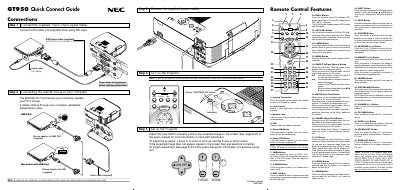
NEC GT950 Quick Connect Guide
The guide walks you through the initial connections for the GT950 projector, including the 15‑pin spin signal cable, DVI or RGB video cables, audio cable, and power cable. It also explains how to attach mouse adapters for IBM PS/2, USB Macintosh, and serial connections, and how to power the unit on and off.
Additional sections describe the remote control layout, menu tree, advanced menu options, and troubleshooting tips such as lamp‑life indicators, error messages, and common problems with solutions.
NEC GT950 specifications
| Lamp power | 200 W |
|---|---|
| Weight | 7.2 kg (15.9 lb) |
| Maximum resolution | UXGA (1600 × 1200) |
| Supported video signals | NTSC, PAL, PAL‑M, PAL‑N, PAL60, SECAM |
| USB port | USB 1.1 (mouse only) |
Source: NEC GT950 Projector User Manual
All NEC GT950 documents by type
Day-to-day operation, settings and troubleshooting. Start here if the product is already set up.
The shortest path to a working setup, usually only a few pages.
Questions answered in these manuals
What is the maximum vertical angle for installing the NEC GT950 projector?
The projector must be installed within a vertical angle range of -10 degrees to +10 degrees to prevent excessive heat transfer to the lamp.
How should the projector be cleaned?
Unplug the projector, wipe the housing with a damp cloth, and use a brush or paper to clean the lens, avoiding solvents.
What power source does the GT950 require?
The projector can be powered from a 100‑120 V or 200‑240 V AC source at 50/60 Hz.
What clearance is needed for ventilation?
Leave at least 3 inches (10 cm) of space between the projector and the wall.
How do I turn off the projector?
Press and hold the Power OFF button for at least two seconds.
How can I connect a mouse to the projector?
Use the MOUSE OUT port with the supplied mouse adapters for IBM PS/2, USB Macintosh, or the supplied serial cable.