
Key facts
- Brand
- NEC
- Model
- SV9100
- Category
- Other device
- Industry
- Electronics
- Documents
- 4
- Languages
- EN
- Last added
- 2026-10-20
Start here
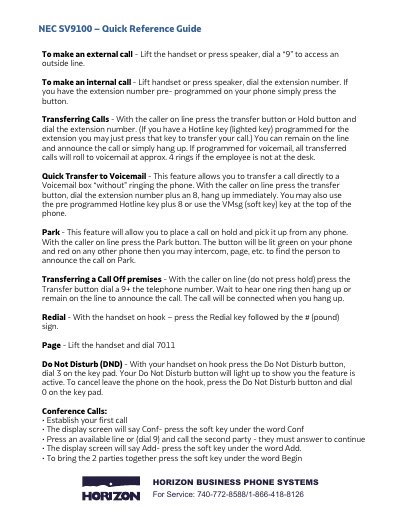
NEC SV9100 Business Phone System Quick Reference Guide
This document serves as a quick reference guide for the NEC SV9100 Horizon Business Phone System. It provides step-by-step instructions for making external and internal calls, transferring calls to voicemail or other extensions, parking calls, and setting up conference calls using soft keys.
The guide also details how to program various system features such as call forwarding (no answer, busy), Do Not Disturb settings, ring volume adjustment, changing display names, and selecting ring tones. A comprehensive list of feature codes for functions like Call Pickup, Page, and Time Setting is included.
NEC SV9100 specifications
| Button Count | 32 |
|---|---|
| Message Waiting Light | Flashes when you have voice mail messages |
| LCD Display | Present |
| Built‑in Speaker | Controls built‑in speaker |
All NEC SV9100 documents by type
The shortest path to a working setup, usually only a few pages.
Day-to-day operation, settings and troubleshooting. Start here if the product is already set up.
Questions answered in these manuals
How do I make an external call?
Lift the handset or press speaker, dial a '9' to access an outside line.
From: NEC SV9100 Business Phone System Quick Reference Guide
How do I transfer a call directly to voicemail?
Press the transfer button, dial the extension number plus 8, and hang up immediately.
From: NEC SV9100 Business Phone System Quick Reference Guide
How many programmable keys are available on the phone?
The phone has a total of 32 programmable keys.
What number must be dialed to access voicemail from outside the office?
You must dial the Voicemail Back Door Number.
How do I set up voicemail on the NEC SV9100?
Press the “VMsg” softkey, enter your four‑digit security code, and follow the voice prompts to set a password and configure your mailbox.
How can I start a conference call?
Press the “Conf” softkey or the CONF button, dial the first participant’s extension, then press the “Add” softkey (or CONF button) twice to add each additional party, up to three inside and three outside callers.