
Key facts
Start here
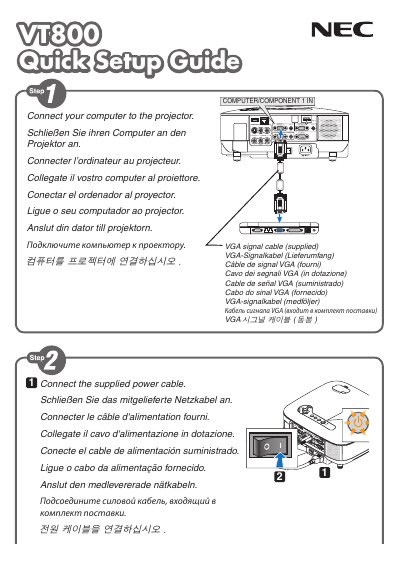
NEC VT800 Quick Start Guide
This quick guide provides the essential steps to set up the NEC VT800 display. It includes connection instructions, power‑on procedures, and basic configuration tips.
The guide also explains the AUTO ADJ. button that automatically optimizes the RGB image, and it offers multilingual tip sections (English, German, French, Italian, Spanish, Portuguese, Swedish) for users worldwide.
NEC VT800 specifications
| Input voltage | 100‑240 V AC 50/60 Hz |
|---|---|
| Lamp type | High‑pressure mercury lamp |
| Maximum tilt angle | 10 degrees |
| Minimum ventilation clearance | 4 inches (10 cm) |
Source: NEC VT800 Projector User Manual
All NEC VT800 documents by type
Day-to-day operation, settings and troubleshooting. Start here if the product is already set up.
The shortest path to a working setup, usually only a few pages.
Questions answered in these manuals
How do I automatically optimize the RGB image on the NEC VT800?
Press the AUTO ADJ. button to optimize an RGB image automatically.
Which languages are included in the quick guide?
The guide provides tip sections in English, German, French, Italian, Spanish, Portuguese, and Swedish.
How should I disconnect the power before cleaning the projector?
Turn off the projector and unplug the power cable before cleaning the housing.
How do I operate the projector at high altitude?
Set the fan mode to HIGH ALTITUDE when using the projector at altitudes around 5500 ft (1600 m) or higher.