
Key facts
- Brand
- NEC
- Model
- VT560
- Category
- Projector
- Industry
- Electronics
- Documents
- 12
- Languages
- EN · SV · ES · IT · DE · FR
- Last added
- 2012-08-02
Start here
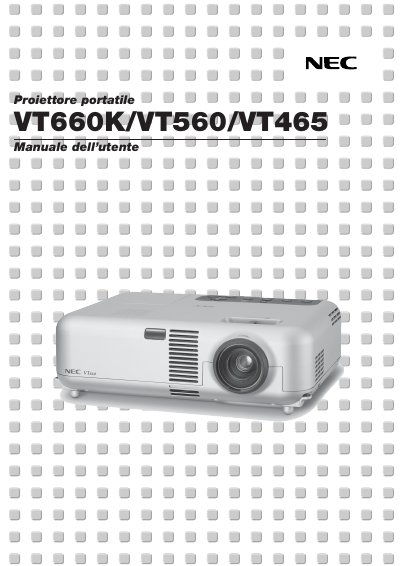
NEC VT660K VT560 VT465 User Manual
This document begins with important safety information and a checklist of items that should be present in the projector box. It explains how to install the unit, connect it to video sources, and configure the on‑screen menu.
Subsequent sections cover projector operation, lamp replacement, menu functions, remote‑mouse control, troubleshooting indicators, and technical specifications such as lamp power and acoustic level. The manual also includes a maintenance checklist and an appendix with dimensions and connector pin‑outs. This manual is written in Italian.
NEC VT560 specifications
| Lamp power | 200 W (Eco 160 W) |
|---|---|
| Maximum projection size | up to 300 inches diagonal |
| Vertical keystone correction | ±30° |
| Input voltage | 100‑120 V or 200‑240 V AC, 50/60 Hz |
Source: NEC VT660/VT560/VT460 Portable Projector User Manual
All NEC VT560 documents by type
Day-to-day operation, settings and troubleshooting. Start here if the product is already set up.
- NEC VT660/VT560/VT460 Portable Projector User's Manual 41 p
- NEC VT660K/VT560/VT465 video Projector user manual
- NEC VT660/VT560/VT460 Portable Projector User's Manual 41 p
- NEC VT660/VT560/VT460 Portable Projector User Manual 41 p
- NEC VT660/VT560/VT460 User Manual 41 p
- NEC VT660/VT560/VT460 Portable Projector User Manual 41 p
- NEC VT660/VT560/VT460 Portable Projector User Manual 41 p
- NEC VT660/VT560/VT460 Portable Projector User Manual 41 p
- NEC VT560/VT465/VT660K User Manual 2 p
- NEC VT660K VT560 VT465 User Manual 42 p
- NEC VT660K / VT560 / VT465 User Manual 42 p
- NEC VT660K/VT560/VT465 User Manual 42 p
Questions answered in these manuals
What should I do if the lamp has reached its usable life?
Replace the lamp immediately. If you continue using it, the bulb may shatter and cause injury.
From: NEC VT660/VT560/VT460 Portable Projector User's Manual
Can I use the tilt-foot for hanging on the wall?
No, using it for purposes other than originally intended can cause damage to the projector.
From: NEC VT660/VT560/VT460 Portable Projector User's Manual
What is the minimum space required between the projector and a wall?
You must allow at least 3 inches (10 cm) of space between your projector and a wall to ensure sufficient ventilation.
From: NEC VT660/VT560/VT460 Portable Projector User's Manual
How long should you wait after turning off the projector before replacing the lamp?
You must allow a minimum of 60 seconds to elapse after turning off the projector, then disconnect power and wait 60 minutes for it to cool.
From: NEC VT660/VT560/VT460 Portable Projector User's Manual
How do I connect a PC via the RGB input?
Use the 15‑pin mini D‑Sub RGB IN connector and attach the supplied RGB cable from the PC to the projector.
¿Cuánto espacio de ventilación necesita el proyector?
Se recomienda dejar al menos 3 pulgadas (10 cm) de espacio libre alrededor del proyector para una ventilación adecuada.