
Key facts
Start here
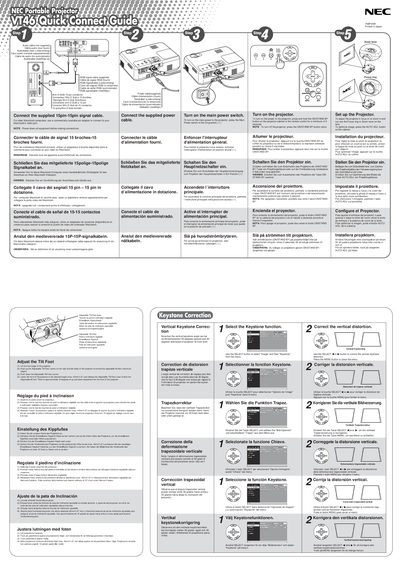
NEC VT46 Quick Start Guide
The guide explains how to connect the supplied 15‑pin signal cable and power cable, turn the projector on by pressing and holding the ON/STAND BY button for at least two seconds, and adjust focus, zoom, and tilt using the focus ring and zoom lever. It also describes how to select the video source (RGB, VIDEO, S‑VIDEO) and use the menu to correct vertical keystone distortion.
A troubleshooting section lists common problems such as power‑up failures, lamp errors, overheating, and image issues, with corresponding checks and solutions. Indicator light meanings for power, status, and lamp are detailed, and instructions for replacing the lamp or lamp cover are included.
NEC VT46 specifications
| Lamp Power | 160 W |
|---|---|
| Resolution | UXGA (1600 × 1200) |
| Noise Level | Low operating noise |
Source: NEC VT46 Projector User Manual
All NEC VT46 documents by type
Day-to-day operation, settings and troubleshooting. Start here if the product is already set up.
The shortest path to a working setup, usually only a few pages.
Questions answered in these manuals
What should I do if the lamp has reached the end of its usable life?
Replace the lamp immediately. Continuing to use it after the message appears may cause the bulb to shatter.
Can I open the projector cabinet to fix it myself?
No. There are no user-serviceable parts inside, and servicing must be done by qualified NEC service personnel.
What does a blinking red lamp indicator mean?
It indicates a lamp‑cover error or lamp error; replace the lamp cover or the lamp.
How can I correct vertical keystone distortion?
Use the SELECT button to choose Image, then Keystone, and adjust the setting in the menu.
What safety precautions are required during installation?
Ensure adequate ventilation, keep at least 3 inches (10 cm) from the wall, avoid direct sunlight, keep liquids away, and do not place heavy objects on the projector.
How do I replace the lamp?
Follow the instructions on page F‑25, wait at least 60 seconds after power‑off, let the projector cool for 60 minutes, then replace the lamp.