
Key facts
Start here
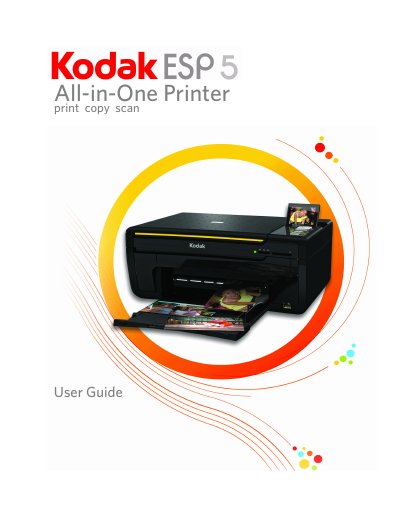
Kodak ESP 5 All-in-One Printer User Guide
The Kodak ESP 5 All-in-One printer allows users to print, copy, and scan digital images and documents. It features a printhead system with two Kodak high-quality pigmented ink cartridges, a paper tray supporting multiple media types, and a scanner capable of scanning up to A4 or Letter-width originals. The device includes multi-format memory card support and a host USB port for connecting external devices like cameras and flash drives. Users can also manage digital images from a Windows or Macintosh computer using Kodak's All-in-One Home Center software.
Read onlineKodak ESP 5 specifications
| Black print speed | Up to 30 pages per minute on plain paper |
|---|---|
| Color print speed | Up to 29 pages per minute on plain paper |
| Print technology | Continuous-tone thermal ink jet |
| Paper capacity | 100 sheets of 20 lb plain paper |
| Maximum scan size | 8.5 × 11.7 in. (21.6 × 29.7 cm) |
| Scanner type | Contact Image Sensor (CIS) type scanner |
All Kodak ESP 5 documents by type
Day-to-day operation, settings and troubleshooting. Start here if the product is already set up.
Questions answered in these manuals
What memory cards does the Kodak ESP 5 support?
The printer supports XD-Picture Card, Memory Stick, SD/MMC, Compact Flash, and SDHC cards.
How do I connect a PictBridge camera to the printer?
Connect the camera to the Universal Serial Bus host port located on the front of the printer.
What memory cards does the Kodak ESP 5 support?
The printer supports XD-Picture Card, Memory Stick, SD/MMC, Compact Flash type I and II, and SDHC cards.
How do I print photos from a PictBridge camera?
Connect the camera directly to the printer's USB host port and follow the on-screen instructions to print.
What software comes with the printer?
The printer includes KODAK Home Center Software, which allows you to browse, edit, print, scan, and upgrade the printer using your computer.
How do I change the printer's time to low power?
You can adjust the delay time (in 0.5 hour increments) up to 4 hours. Increasing the delay time may result in reduced energy savings.