
Key facts
- Brand
- Kodak
- Model
- EasyShare C340
- Category
- Digital cameras
- Documents
- 2
- Languages
- EN · JA
- Last added
- 2023-10-17
Start here
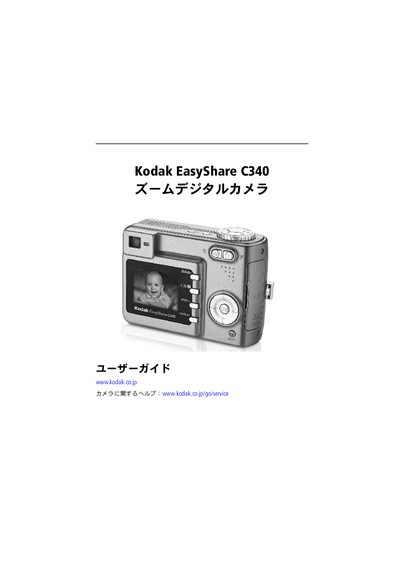
Kodak EasyShare C340 User Manual
This manual provides step‑by‑step instructions for setting up the Kodak EasyShare C340, including battery installation, power‑on procedures, and basic camera controls. It also covers how to configure language, date, and time settings.
Further sections describe how to capture photos and videos, use flash and zoom, transfer images to a computer via USB, print directly with a dock, and perform troubleshooting and maintenance tasks such as battery care and firmware upgrades. This manual is written in Japanese.
Kodak EasyShare C340 specifications
| Sensor | CCD 1/2.5 in. CCD, 4:3 aspect ratio |
|---|---|
| Output image size | 2576 x 1932 (5 M) pixels |
| Display | 1.6 in. (4 cm) color hybrid LCD, 312 x 230 (72 K) pixels |
| Lens | 3X optical zoom, aspheric all-glass Kodak Retinar lens, f/2.7–4.6 |
| Focus system | TTL-AF; auto, Multi-zone, Center-zone |
| Digital zoom | 1.2X–5X |
Source: Kodak EasyShare C340 zoom digital camera User's guide
All Kodak EasyShare C340 documents by type
Day-to-day operation, settings and troubleshooting. Start here if the product is already set up.
Questions answered in these manuals
What is the camera’s display resolution?
The camera has a 1.6-inch color hybrid LCD with a resolution of 312 x 230 pixels.
How do I transfer pictures to a computer?
Use the USB cable to transfer pictures from the camera to a computer.
How do I turn on the Kodak EasyShare C340?
Open the battery cover, insert the battery, close the cover, then press the power button as shown in the setup steps.
How can I transfer photos from the camera to my computer?
Connect the camera to the computer with the supplied USB cable and follow the on‑screen prompts to copy the images.