
Key facts
- Brand
- Kodak
- Model
- M530
- Category
- Digital cameras
- Documents
- 3
- Languages
- EN · ZH
- Last added
- 2023-10-20
Start here
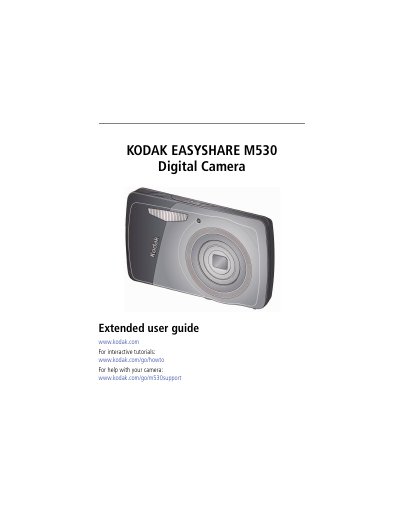
Kodak EASYSHARE M530 Digital Camera User Guide
This guide explains how to set up, operate, and maintain your Kodak EASYSHARE M530 digital camera. It covers attaching the strap, loading and charging the battery, adjusting settings, taking pictures and videos, using zoom, flash, and scene modes. It also details how to share and tag photos, review and edit media, transfer files, print, and troubleshoot common issues. Specifications and care instructions are included in the appendix.
Read onlineKodak M530 specifications
| CCD | 1/2.33-type |
|---|---|
| Effective pixels | 12.2 MP (4026 x 3026) |
| LCD | 2.7 in. (6.9 cm) LCD; 230K pixels; 4:3 aspect ratio |
| Image storage | Optional SD/SDHC Card (up to 32 GB) |
| Internal storage capacity | 32 MB internal memory (20 MB available for image storage) |
| Taking lens | 3X optical zoom; f/3.1–f/5.6; 35 mm equivalent: 36–108 mm |
| Digital zoom | 5X continuous |
| Focus system | TTL-AF (through-the-lens auto focus); Multi-Zone, Center-Zone, Face Priority |
| Shutter speed | 1/8–1/1400 seconds |
| ISO speed | Smart Capture mode: Auto 80–400 |
All Kodak M530 documents by type
Day-to-day operation, settings and troubleshooting. Start here if the product is already set up.
Questions answered in these manuals
How do I charge the battery?
Charge the battery by connecting the KODAK Camera USB Cable, Micro B / 5-Pin and charger. The battery charging light will blink while charging and turn green when finished.
What indicates that the battery is finished charging?
The Battery Charging light turns steady green.
What is the maximum SD card size supported?
The maximum supported card size is 32 GB.
How do I use the optical zoom?
Use the LCD to frame your subject. Press Telephoto (T) to zoom in and Wide Angle (W) to zoom out. Take the picture.
What is the battery model for this camera?
The manual specifies that the camera uses the KLIC-7006 battery.
What type of USB cable is required for this camera?
You must use the included Kodak camera USB cable, which is a Micro B/5 pin model.