
Key facts
- Brand
- Kodak
- Model
- AZ525
- Category
- Digital cameras
- Documents
- 3
- Languages
- EN · ZH · ES
- Last added
- 2026-10-20
Start here
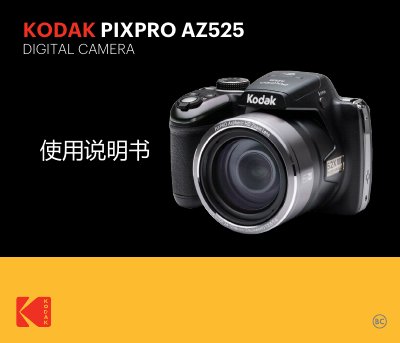
Kodak PIXPRO AZ525 Digital Camera User Manual
The KODAK PIXPRO AZ525 user manual explains camera preparation, including installing the battery and memory card, charging the battery, and setting language, date, and time. It then covers the mode dial, basic shooting functions, playback, menus, Wi-Fi mode, and connections to a computer or PictBridge-compatible printer.
The appendix includes a specification table, a RoHS questionnaire, warning messages, and troubleshooting. The listed specifications include a 1/2.3-inch BSI CMOS sensor with 16.35 effective megapixels, a 52x optical zoom lens, optical image stabilization, and 4x digital zoom. The manual is written in Chinese.
KODAK AZ525 specifications
| Sensor type | 1/2.3-inch BSI CMOS |
|---|---|
| Effective pixels | 16.35 megapixels |
| Total pixels | 16.76 megapixels |
| Focal length | 4.3 mm (wide) to 223.6 mm (telephoto) |
| 35 mm equivalent | 24 mm (wide) to 1248 mm (telephoto) |
| Aperture | F2.8 (wide) to F5.6 (telephoto) |
| Lens construction | 13 groups, 15 elements |
| Optical zoom | 52x |
| Image stabilization | OIS optical image stabilization |
| Digital zoom | 4x (208x total with optical zoom) |
All KODAK AZ525 documents by type
Day-to-day operation, settings and troubleshooting. Start here if the product is already set up.
Questions answered in these manuals
What operating system versions are required for the app?
The smart device operating system version needs to be iOS 10 or higher, or Android 5.0 or higher.
How far can the camera and smart device be from each other?
The camera and the smart device can only be connected within 10 meters (32.8 feet) without signal shielding interference.
What type of printer can I connect to the camera?
A printer that supports PictBridge technology.
What should I do if the camera does not turn on?
Replace the battery or check that it is installed correctly.
What are the system requirements for the device?
The device must run iOS 10 or later or Android 5.0 or later.
What is the maximum connection distance?
The camera and device should be within 10 meters (32.8 feet) without interference.