
Key facts
- Brand
- Kodak
- Model
- ESP C310
- Category
- All-in-one printer
- Documents
- 2
- Languages
- EN
- Last added
- 2023-10-17
Start here
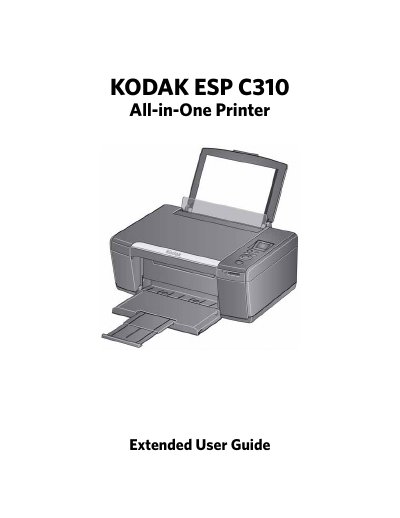
Kodak ESP C310 All-in-One Printer User Guide
This guide provides step-by-step instructions for using the Kodak ESP C310 All-in-One printer. It covers basic setup, connecting to Wi-Fi, printing documents and photos, copying, scanning, and maintaining the printer. The guide also includes troubleshooting tips and specifications for performance and connectivity.
The printer supports printing, copying, and scanning with features like automatic photo enhancement, cloud printing, and mobile printing via Google Cloud Print and KODAK Email Print Service. It uses a 2-cartridge, 4-ink system and supports USB 2.0 and Wi-Fi 802.11b/g/n for connectivity.
Kodak ESP C310 specifications
| Print Technology | Continuous-tone, thermal inkjet |
|---|---|
| Print Quality Modes | Draft, Normal, and Best on plain paper; Photo quality mode on photo paper |
| Print Sizes | 2 x 3 in. / 5 x 8 cm to 8 x 10 in. / 20 x 25 cm |
| Scanner Type | Contact Image Sensor (CIS) |
| Maximum Scan Size | 8.5 x 11.7 in. / 22 x 30 cm |
| Ink Cartridges | 2-cartridge, 4-ink system |
| Power Input | 110–240 V AC, 50–60 Hz |
| Dimensions | 16.5 x 6.7 x 12.6 in. / 420 x 170 x 320 mm [L × H x D] |
| Weight | 12.7 lb / 5.7 kg |
| Operating Temperature | 5°C (41°F) to 35°C (95°F), 15 to 85% RH |
All Kodak ESP C310 documents by type
Day-to-day operation, settings and troubleshooting. Start here if the product is already set up.
Questions answered in these manuals
What is the maximum scan size supported by the printer?
The maximum scan size is 8.5 x 11.7 inches (22 x 30 cm).
What is the maximum scan size supported by the Kodak ESP C310?
Maximum scan size is 8.5 x 11.7 in. / 22 x 30 cm.
What memory cards does the printer accept?
The printer accepts SD Card, SDHC Card, MMC Card, and MEMORY STICK, as well as variations requiring an adapter.
What is the warranty period for the product?
Kodak warrants the product to be free from malfunctions and defects for one year from the date of purchase.