
Key facts
- Brand
- Kodak
- Model
- ESP 3
- Category
- All-in-one printer
- Documents
- 2
- Languages
- EN
- Last added
- 2023-10-17
Start here
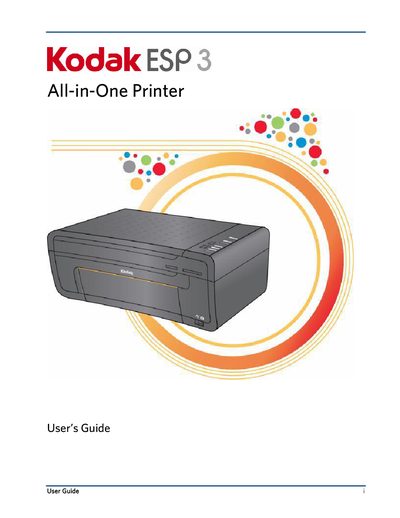
Kodak ESP·3 All-in-One User's Guide
This user guide provides step-by-step instructions for operating the Kodak ESP·3 All-in-One printer, including printing, copying, and scanning functions. It covers setup, connecting devices, managing ink, handling paper, and troubleshooting common issues. The guide also explains how to use Kodak Home Center software for managing and sharing digital photos. Detailed specifications and system requirements are included for compatibility and performance.
Read onlineKodak ESP 3 specifications
| Black print speed | Up to 30 ppm on plain paper |
|---|---|
| Color print speed | Up to 29 ppm on plain paper |
| Photo print speed | Up to 2.18 ppm (as little as 30 seconds per print) on 4 x 6 inch (10 × 15 cm) borderless Kodak watermark photo paper |
| Print technology | Continuous-tone thermal ink jet |
| Borderless sizes supported | 4 × 6 inch (10 × 15 cm), 4 × 8 inch (10 × 20 cm), 4 × 12 inch. (10 × 30 cm), 5 × 7 inch (13 × 18 cm), 6 × 9 inch (15 × 23 cm), 8 × 10 inch (20 × 25 cm), US Letter (8.5 x 11 inch) (22 x 28 cm), A4 |
| Scanner type | Contact Image Sensor (CIS) type scanner |
| Maximum scan size | 8.5 × 11.7 in. (21.6 × 29.7 cm) |
All Kodak ESP 3 documents by type
Day-to-day operation, settings and troubleshooting. Start here if the product is already set up.
Questions answered in these manuals
What type of USB cable is required?
A USB 2.0 (High Speed) cable is required to connect your Kodak All-in-One printer to your Windows or Macintosh OS computer.
How do I install the software?
Load the Kodak Inkjet Printer Software CD into the CD-ROM drive. Follow the on-screen prompts when the instructions appear. If instructions do not appear, click Start, then Run. Select CD-ROM drive and type setup.exe, then press ENTER.
What memory cards does the Kodak ESP·3 support?
The printer supports XD xD-Picture Card, MS Memory Stick, Memory Stick Pro, SD Secure Digital Card/Multi-MediaCard, CF Compact Flash type I and type II, including microdrives, SDHC Secure Digital High Capacity cards. It also supports Memory Stick Duo, miniSD, and MicroSD (TransFlash) with adapters.
What is the print speed for black and color prints?
Black print speed is up to 30 ppm on plain paper, and color print speed is up to 29 ppm on plain paper.